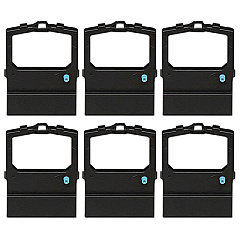





Oki MICROLINE 590 Elite Impact Printers Supplies

Ads

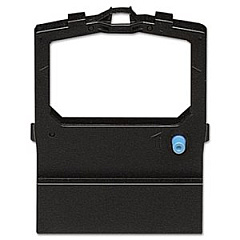
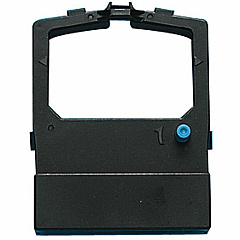
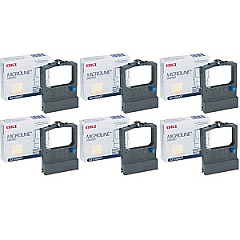
Oki MICROLINE 590 Elite Dot Matrix Ribbon

Discover top-quality Oki MICROLINE 590 Elite Impact Printers Supplies for your high-performance printing needs. These reliable supplies, including the Okidata 52106001 Black Ribbon Cartridge, ensure crisp, professional results for your business, educational institution, government office, or healthcare facility. The Oki MICROLINE 590 Elite Impact Printer is renowned for its durability and efficiency, making it an ideal choice for high-volume printing environments. With genuine Okidata 52106001 Ribbon Cartridges, you can maintain optimal print quality and extend the life of your printer. These supplies are designed to deliver consistent, smudge-free text and graphics, perfect for invoices, reports, and multi-part forms. Invest in authentic Oki MICROLINE 590 Elite Impact Printers Supplies to maximize your printer's performance and minimize downtime, ensuring smooth operations for your organization.

Oki MICROLINE 590 Elite Impact Printers Supplies FAQs

  • How long does the Okidata 52106001 Black Ribbon Cartridge last?

    The Okidata 52106001 Black Ribbon Cartridge typically lasts for approximately 4 million characters, depending on usage and print density.

  • Are these supplies compatible with other Oki MICROLINE printers?

    The Okidata 52106001 Ribbon Cartridges are specifically designed for the Oki MICROLINE 590 Elite Impact Printer. Always check your printer's manual for compatibility information.

  • How can I tell when it's time to replace the ribbon cartridge?

    You should replace the ribbon cartridge when print quality becomes faint or inconsistent, or when you notice gaps in the printed text.

  • Are these genuine Oki supplies?

    Yes, the Okidata 52106001 Black Ribbon Cartridges are genuine Oki supplies, ensuring optimal performance and compatibility with your Oki MICROLINE 590 Elite Impact Printer.

  • Can I use third-party ribbon cartridges with my Oki MICROLINE 590 Elite?

    While third-party cartridges may be available, using genuine Oki supplies is recommended to maintain print quality and prevent potential damage to your printer.

  • How do I install the Okidata 52106001 Ribbon Cartridge?

    To install the cartridge, open the printer cover, remove the old cartridge, align the new cartridge with the print head, and snap it into place. Refer to your printer's manual for detailed instructions.

  • What type of documents is the Oki MICROLINE 590 Elite best suited for?

    The Oki MICROLINE 590 Elite is ideal for printing multi-part forms, invoices, reports, labels, and other business documents that require impact printing.

  • How often should I replace the ribbon cartridge in my Oki MICROLINE 590 Elite?

    Replacement frequency depends on your printing volume. On average, you may need to replace the cartridge every 4 million characters or when print quality deteriorates.

  • Can I recycle used Okidata 52106001 Ribbon Cartridges?

    Yes, Oki offers a recycling program for used cartridges. Check their website or contact customer support for information on how to participate in their recycling initiative.

  • What is the shelf life of unopened Okidata 52106001 Ribbon Cartridges?

    Unopened ribbon cartridges typically have a shelf life of 1-2 years when stored in a cool, dry place. Always check the packaging for specific expiration information.

Warehouse Locations

Policy & Agreement | Copyright © 1995-2026 BlueDogInk.com
