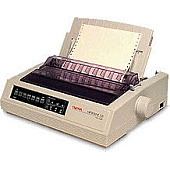





Oki Microline 520n 9 Pin Dot Matrix Printers Supplies

Ads
Discover top-quality Oki Microline 520n 9 Pin Dot Matrix Printers Supplies at BlueDogInk.com. Our comprehensive selection includes the essential Okidata 52107001 Black Ribbon Cartridge, designed to deliver crisp, clear prints for your business needs. These reliable supplies ensure optimal performance and longevity for your Oki Microline 520n printer, making them ideal for high-volume printing environments in offices, schools, healthcare facilities, and government institutions. With our premium Oki Microline 520n 9 Pin Dot Matrix Printers Supplies, you can count on consistent, professional-quality output for invoices, reports, and multi-part forms. BlueDogInk.com offers competitive pricing and fast shipping, ensuring you have the supplies you need to keep your Oki Microline 520n running smoothly. Trust in our expertise to provide you with genuine Oki supplies that maximize your printer's efficiency and minimize downtime.

Oki Microline 520n 9 Pin Dot Matrix Printers Supplies FAQs

  • How long does the Okidata 52107001 Black Ribbon Cartridge last?

    The Okidata 52107001 Black Ribbon Cartridge typically lasts for approximately 3 million characters, depending on usage and print density.

  • Is the Okidata 52107001 compatible with other Oki printers?

    The Okidata 52107001 is specifically designed for the Oki Microline 520n and may not be compatible with other Oki printer models. Always check your printer's specifications for the correct supplies.

  • How can I extend the life of my Oki Microline 520n ribbon cartridge?

    To extend the life of your ribbon cartridge, avoid printing unnecessarily, use draft mode when possible, and store cartridges in a cool, dry place when not in use.

  • Are there any eco-friendly options for Oki Microline 520n supplies?

    While dot matrix printers generally use less plastic than other printer types, you can consider recycling your used ribbon cartridges through local recycling programs or manufacturer take-back initiatives.

  • How often should I replace the ribbon cartridge in my Oki Microline 520n?

    Replace the ribbon cartridge when print quality begins to fade or becomes inconsistent. This varies based on usage but typically occurs after 3 million characters.

  • Can I use third-party ribbon cartridges in my Oki Microline 520n?

    While third-party cartridges may be available, using genuine Oki supplies like the Okidata 52107001 ensures optimal print quality and prevents potential damage to your printer.

  • Does BlueDogInk.com offer bulk discounts on Oki Microline 520n supplies?

    Yes, BlueDogInk.com often provides discounts on bulk orders. Contact our customer service team for more information on volume pricing.

  • How do I install a new ribbon cartridge in my Oki Microline 520n?

    To install a new cartridge, open the printer cover, remove the old cartridge, align the new cartridge with the print head, and press it into place until it clicks. Refer to your printer's manual for detailed instructions.

  • What should I do if my Oki Microline 520n prints become faint or streaky?

    If prints become faint or streaky, first try adjusting the print head-to-platen gap. If the issue persists, it may be time to replace the ribbon cartridge with a new Okidata 52107001.

Warehouse Locations

Policy & Agreement | Copyright © 1995-2026 BlueDogInk.com
