






Oki Microline 421 Black 9 Pin Dot Matrix Printers Supplies

Ads

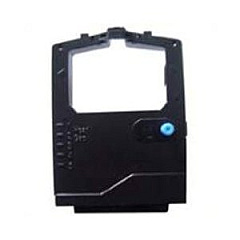
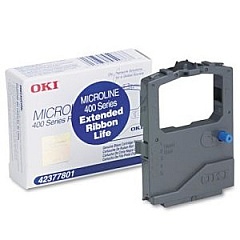
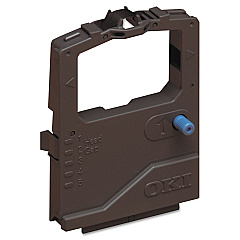
Oki Microline 421 Black Dot Matrix Ribbon

Oki Microline 421 Black Printheads

Oki Microline 421 Black Copy Paper

Enhance your printing experience with Oki Microline 421 Black Ink Cartridges, designed for optimal performance and reliability. These high-quality supplies are essential for businesses, schools, government offices, healthcare facilities, and wholesale operations that demand crisp, professional output. The Okidata 41923901 Printhead ensures precise character formation, while the Okidata 42377801 Black Ribbon Cartridge delivers sharp, smudge-free text and graphics. For high-volume printing needs, consider the Okidata 42377801 Ribbon Cartridge Pack, which offers cost-effective bulk purchasing. These genuine Oki supplies are engineered to work seamlessly with your Microline 421 printer, maximizing its lifespan and maintaining consistent print quality. Whether you're printing invoices, reports, or labels, trust Oki Microline 421 Black Ink Cartridges to provide reliable, long-lasting performance that meets your organization's demanding printing requirements.

Oki Microline 421 Black 9 Pin Dot Matrix Printers Supplies FAQs

  • How long does an Okidata 42377801 Black Ribbon Cartridge typically last?

    The Okidata 42377801 Black Ribbon Cartridge typically yields about 4 million characters, depending on print density and environmental conditions.

  • Are these ink cartridges compatible with other Oki printer models?

    These cartridges are specifically designed for the Oki Microline 421 printer. Always check your printer's compatibility before purchasing supplies.

  • How often should I replace the Okidata 41923901 Printhead?

    The printhead typically lasts for several ribbon cartridge changes. Replace it when print quality noticeably declines or as recommended in your printer's manual.

  • Can I use third-party ink cartridges with my Oki Microline 421 printer?

    While third-party cartridges may work, using genuine Oki supplies ensures optimal print quality and helps maintain your printer's warranty.

  • What's the difference between a single cartridge and the ribbon cartridge pack?

    The ribbon cartridge pack contains multiple individual cartridges, offering a more cost-effective solution for high-volume printing needs.

  • How do I install the Okidata 42377801 Black Ribbon Cartridge?

    Open the printer cover, remove the old cartridge, align the new cartridge with the print head, and snap it into place. Refer to your printer's manual for detailed instructions.

  • Are these ink cartridges environmentally friendly?

    Oki designs its products with environmental considerations in mind. The cartridges can often be recycled through Oki's recycling program.

  • How should I store unused ink cartridges?

    Store unused cartridges in a cool, dry place away from direct sunlight. Keep them in their original packaging until ready for use.

  • Can I use these cartridges for color printing?

    No, these are black ink cartridges designed for monochrome printing only.

  • What should I do if I experience poor print quality with new cartridges?

    First, ensure the cartridge is properly installed. If issues persist, try cleaning the print head or running a printer alignment. If problems continue, contact Oki customer support.

Warehouse Locations

Policy & Agreement | Copyright © 1995-2026 BlueDogInk.com
