





Ads

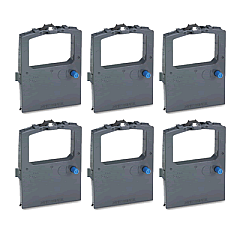
Oki Microline 390 Dot Matrix Ribbon

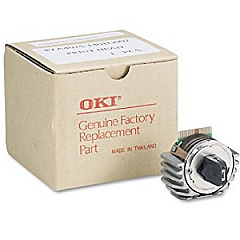
Oki Microline 390 Printheads

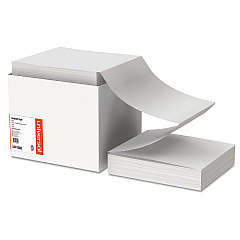
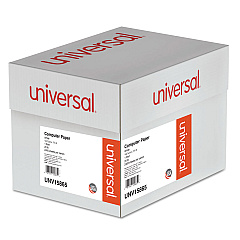
Oki Microline 390 Copy Paper

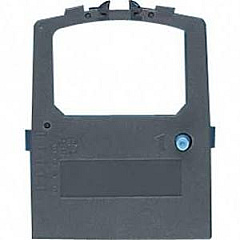
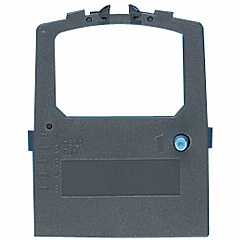
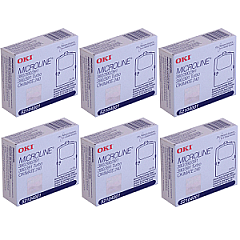
Enhance your printing experience with genuine Oki Microline 390 Ink Cartridges, designed to deliver exceptional quality and reliability. The Oki Microline 390 dot matrix printer is a workhorse for businesses, schools, and healthcare facilities, requiring top-notch supplies to maintain its performance. Our selection includes the essential Okidata 50062201 Printhead, ensuring crisp and clear text output. For consistent, high-quality prints, choose the Okidata 52104001 Black Ribbon Cartridge, available individually or in cost-effective multi-packs. These authentic Oki supplies are engineered to maximize your printer's efficiency and longevity, providing you with trouble-free operation and professional results. Whether you're printing invoices, reports, or labels, trust BlueDogInk.com to provide the genuine Oki Microline 390 Ink Cartridges you need for optimal performance and value.

Oki Microline 390 Printers Supplies FAQs

  • How long does an Okidata 52104001 Black Ribbon Cartridge last?

    The Okidata 52104001 Black Ribbon Cartridge typically lasts for approximately 2 million characters, depending on print density and environmental conditions.

  • Is the Okidata 50062201 Printhead compatible with other Oki printers?

    The Okidata 50062201 Printhead is specifically designed for the Oki Microline 390 and may not be compatible with other Oki printer models. Always check your printer's specifications before purchasing.

  • How often should I replace the printhead on my Oki Microline 390?

    Printhead replacement frequency depends on usage. Generally, it's recommended to replace the printhead when print quality noticeably deteriorates or after several ribbon cartridge changes.

  • Can I use third-party ribbon cartridges in my Oki Microline 390?

    While third-party cartridges may work, using genuine Oki supplies is recommended to ensure optimal print quality, reliability, and to maintain your printer's warranty.

  • How do I install a new ribbon cartridge in the Oki Microline 390?

    To install a new ribbon cartridge, open the printer cover, remove the old cartridge, align the new cartridge with the print head, and press it into place until it clicks. Then, use the tension knob to tighten the ribbon.

  • Are Oki Microline 390 Ink Cartridges recyclable?

    Yes, Oki offers a recycling program for used cartridges. Check Oki's website or contact their customer service for details on how to participate in their recycling initiative.

  • What's the difference between individual cartridges and the ribbon cartridge pack?

    Individual cartridges are sold separately, while the ribbon cartridge pack contains multiple cartridges, often at a discounted price per unit, making it more economical for high-volume users.

  • Can I use the Oki Microline 390 Ink Cartridges for color printing?

    No, the Oki Microline 390 is a monochrome printer, and the Okidata 52104001 Black Ribbon Cartridge only produces black text and graphics.

  • How can I extend the life of my Oki Microline 390 Ink Cartridges?

    To extend cartridge life, store them in a cool, dry place, use the printer regularly to prevent ink from drying out, and choose draft mode for less critical print jobs to conserve ink.

Warehouse Locations

Policy & Agreement | Copyright © 1995-2026 BlueDogInk.com
