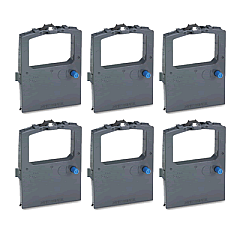





Oki MICROLINE 3391eco Impact Printers Supplies

Ads

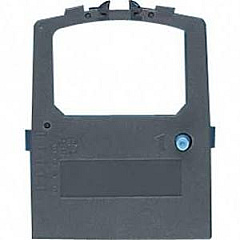
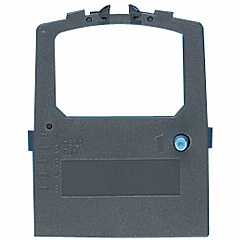
Oki MICROLINE 3391eco Dot Matrix Ribbon

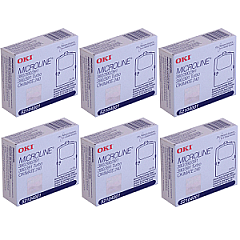
Discover reliable Oki MICROLINE 3391eco Impact Printers Supplies for your high-volume printing needs. These robust supplies are designed to keep your Oki MICROLINE 3391eco Impact Printer running smoothly, ensuring consistent, high-quality output for all your business documents. The Okidata 52104001 Black Ribbon Cartridge is a key component, offering crisp, clear text and graphics for professional-looking prints. For extended use, consider the Okidata 52104001 Ribbon Cartridge Pack, which provides multiple cartridges to minimize downtime and maximize productivity. These supplies are engineered to meet Oki's exacting standards, guaranteeing compatibility and optimal performance with your 3391eco printer. Whether you're printing invoices, reports, or multi-part forms, these supplies deliver the reliability and longevity you need to keep your operations running efficiently. Choose Oki MICROLINE 3391eco Impact Printers Supplies for dependable, cost-effective printing solutions.

Oki MICROLINE 3391eco Impact Printers Supplies FAQs

  • What is the page yield of the Okidata 52104001 Black Ribbon Cartridge?

    The Okidata 52104001 Black Ribbon Cartridge typically yields approximately 4 million characters.

  • Is the Okidata 52104001 Ribbon Cartridge compatible with other Oki printers?

    The Okidata 52104001 Ribbon Cartridge is specifically designed for the Oki MICROLINE 3391eco and may not be compatible with other models. Always check your printer's specifications for the correct supplies.

  • How often should I replace the ribbon cartridge in my Oki MICROLINE 3391eco printer?

    Replacement frequency depends on usage, but typically, you should replace the ribbon when print quality begins to fade or becomes inconsistent.

  • Can I use third-party ribbon cartridges with my Oki MICROLINE 3391eco printer?

    While third-party cartridges may be available, using genuine Oki supplies is recommended to ensure optimal print quality and to maintain your printer's warranty.

  • How many ribbon cartridges are included in the Okidata 52104001 Ribbon Cartridge Pack?

    The number of cartridges in a pack can vary. Please check the specific product listing for the exact quantity included.

  • Is the Oki MICROLINE 3391eco printer compatible with Windows 10?

    Yes, the Oki MICROLINE 3391eco printer is compatible with Windows 10. However, you may need to download the latest drivers from the Oki website.

  • How do I install the ribbon cartridge in my Oki MICROLINE 3391eco printer?

    To install the ribbon cartridge, open the printer cover, remove the old cartridge if present, align the new cartridge with the print head, and press it into place until it clicks. Refer to your printer's manual for detailed instructions.

  • Can the Oki MICROLINE 3391eco printer handle multi-part forms?

    Yes, the Oki MICROLINE 3391eco printer is designed to handle multi-part forms efficiently.

  • What is the print speed of the Oki MICROLINE 3391eco printer?

    The Oki MICROLINE 3391eco printer can print up to 390 characters per second in high-speed draft mode.

  • Does the Oki MICROLINE 3391eco printer support network connectivity?

    The standard Oki MICROLINE 3391eco printer comes with parallel and USB interfaces. Network connectivity may be available through optional accessories or upgrades.

Warehouse Locations

Policy & Agreement | Copyright © 1995-2026 BlueDogInk.com
