




Ads

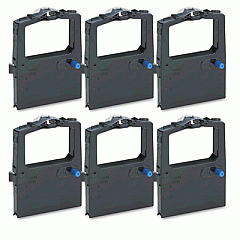
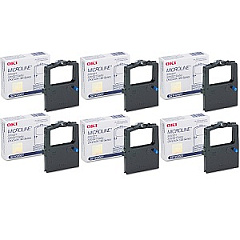
Oki Microline 321 Dot Matrix Ribbon

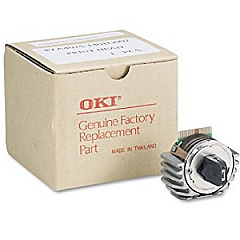
Oki Microline 321 Printheads

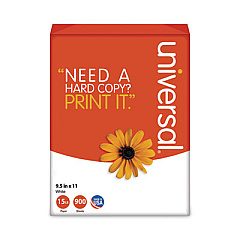
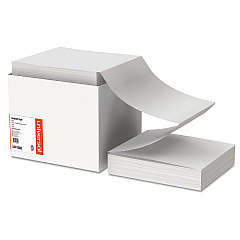
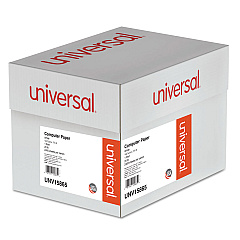
Oki Microline 321 Copy Paper

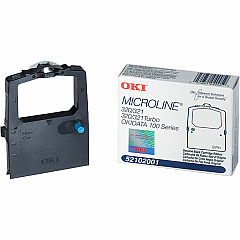
Ensure uninterrupted printing with genuine Oki Microline 321 Ink Cartridges and supplies. The Oki Microline 321 is a reliable dot-matrix printer perfect for businesses, schools, and healthcare facilities requiring high-volume, multi-part forms printing. To maintain optimal performance, use authentic Okidata supplies, including the 42666401 Printhead for crisp text and graphics, and the 52102001 Black Ribbon Cartridge for long-lasting, smudge-resistant prints. The 52102001 Ribbon Cartridge Box offers convenience and protection for bulk purchases. These OEM products guarantee compatibility and superior print quality, reducing downtime and maintenance costs. Whether you're printing invoices, reports, or patient records, Oki Microline 321 Ink Cartridges deliver consistent, professional results. Trust in Okidata's proven technology to keep your operations running smoothly and efficiently.

Oki Microline 321 Printers Supplies FAQs

  • How long does an Oki Microline 321 ribbon cartridge last?

    The Okidata 52102001 Black Ribbon Cartridge typically lasts for about 3 million characters, depending on print density and environmental conditions.

  • Is the Okidata 42666401 Printhead compatible with other Oki printers?

    The 42666401 Printhead is specifically designed for the Oki Microline 321 and may not be compatible with other printer models. Always check your printer's specifications before purchasing.

  • How often should I replace the printhead on my Oki Microline 321?

    Printhead replacement frequency depends on usage. Generally, it should be replaced when print quality noticeably deteriorates or after several ribbon cartridge changes.

  • Can I use non-OEM ribbon cartridges in my Oki Microline 321?

    While third-party cartridges may work, using genuine Okidata supplies ensures optimal print quality and prevents potential damage to your printer.

  • What's the difference between the ribbon cartridge and the ribbon cartridge box?

    The ribbon cartridge is the individual unit containing the ink ribbon, while the ribbon cartridge box is a bulk package containing multiple cartridges for convenience and storage.

  • How do I install a new ribbon cartridge in my Oki Microline 321?

    Open the printer cover, remove the old cartridge, align the new cartridge with the print head, and press it into place until it clicks. Then, use the tension knob to tighten the ribbon.

  • Are Oki Microline 321 Ink Cartridges recyclable?

    Yes, Okidata offers a recycling program for used cartridges. Check their website or contact customer support for details on how to participate.

  • Can I use the Oki Microline 321 for color printing?

    No, the Oki Microline 321 is a monochrome printer and only uses black ribbon cartridges. It cannot print in color.

  • What should I do if my prints appear faded or have gaps?

    First, check if the ribbon cartridge needs replacement. If the issue persists, the printhead may need cleaning or replacement. Consult your printer manual for maintenance instructions.

  • How can I extend the life of my Oki Microline 321 Ink Cartridges?

    To maximize cartridge life, store unused cartridges in a cool, dry place, avoid exposing the printer to extreme temperatures, and perform regular printer maintenance as recommended in the user manual.

Warehouse Locations

Policy & Agreement | Copyright © 1995-2026 BlueDogInk.com
