




Ads

Oki Microline 280 Dot Matrix Ribbon

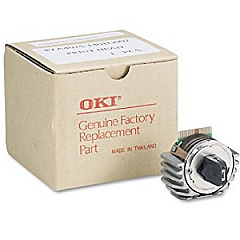
Oki Microline 280 Printheads

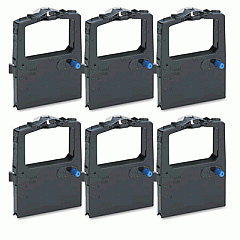
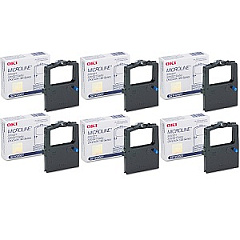
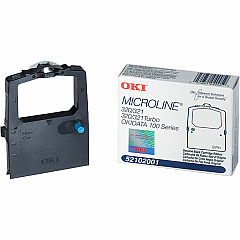
Enhance your printing experience with genuine Oki Microline 280 Ink Cartridges, designed to deliver exceptional quality and reliability. The Oki Microline 280 dot matrix printer is a workhorse for businesses, schools, and healthcare facilities, requiring top-notch supplies to maintain its performance. Our selection includes the essential Okidata 42666401 Printhead, ensuring crisp and clear text output. For consistent, high-quality prints, choose the Okidata 52102001 Black Ribbon Cartridge, available individually or in a convenient Ribbon Cartridge Box. These authentic Oki supplies are engineered to work seamlessly with your Microline 280 printer, providing optimal results and extending the life of your device. Trust in the reliability and durability of genuine Oki Microline 280 Ink Cartridges for all your critical printing needs, from invoices and reports to labels and multi-part forms.

Oki Microline 280 Printers Supplies FAQs

  • How long does an Okidata 52102001 Black Ribbon Cartridge last?

    The Okidata 52102001 Black Ribbon Cartridge typically lasts for approximately 3 million characters, depending on print density and environmental conditions.

  • Is the Okidata 42666401 Printhead compatible with other Oki printers?

    The Okidata 42666401 Printhead is specifically designed for the Oki Microline 280 and may not be compatible with other printer models. Always check your printer's specifications before purchasing.

  • How often should I replace the printhead on my Oki Microline 280?

    Printhead replacement frequency depends on usage. Generally, it should be replaced when print quality noticeably deteriorates or after several ribbon cartridge changes.

  • Can I use third-party ribbon cartridges in my Oki Microline 280?

    While third-party cartridges may work, using genuine Oki supplies ensures optimal performance and prevents potential damage to your printer.

  • What's the difference between buying individual ribbon cartridges and a ribbon cartridge box?

    Individual cartridges are ideal for low-volume users, while the ribbon cartridge box is more cost-effective for high-volume printing needs.

  • How do I install a new ribbon cartridge in the Oki Microline 280?

    Open the printer cover, remove the old cartridge, align the new cartridge with the print head, and snap it into place. Refer to your printer's manual for detailed instructions.

  • Are Oki Microline 280 Ink Cartridges environmentally friendly?

    Oki designs its cartridges with environmental considerations in mind, but it's best to check with local recycling facilities for proper disposal methods.

  • Can I refill the Okidata 52102001 Black Ribbon Cartridge?

    Refilling is not recommended as it may compromise print quality and potentially damage your printer. It's best to use new, genuine Oki cartridges.

  • What should I do if my prints appear faded using a new cartridge?

    First, ensure the cartridge is properly installed. If the issue persists, try cleaning the printhead. If problems continue, contact Oki customer support.

  • Does Blue Dog Ink offer bulk discounts on Oki Microline 280 supplies?

    Yes, we offer volume discounts on many of our products. Contact our customer service team for information on bulk pricing for Oki Microline 280 supplies.

Warehouse Locations

Policy & Agreement | Copyright © 1995-2026 BlueDogInk.com
