




Oki MICROLINE 280 Elite Impact Printers Supplies

Ads

Oki MICROLINE 280 Elite Dot Matrix Ribbon

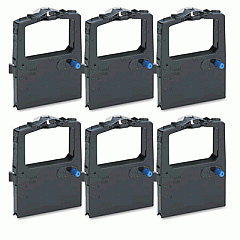
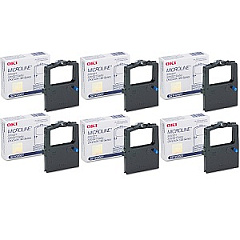
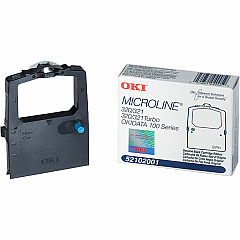
Discover top-quality Oki MICROLINE 280 Elite Impact Printers Supplies for your reliable dot-matrix printer. Our comprehensive range includes the essential Okidata 52102001 Black Ribbon Cartridge, ensuring crisp, clear prints for all your business needs. This durable ribbon cartridge is designed specifically for the Oki MICROLINE 280 Elite, guaranteeing optimal performance and longevity. Whether you're printing invoices, reports, or multi-part forms, these supplies deliver consistent, high-quality results. The Okidata 52102001 Ribbon Cartridge Box offers convenient storage and protection for your cartridges, maintaining their integrity until ready for use. Trust in the reliability and efficiency of genuine Oki supplies to keep your impact printer running smoothly. With our selection of Oki MICROLINE 280 Elite Impact Printers Supplies, you'll experience enhanced productivity and reduced downtime, making them an excellent choice for businesses, healthcare facilities, and educational institutions alike.

Oki MICROLINE 280 Elite Impact Printers Supplies FAQs

  • How long does the Okidata 52102001 Black Ribbon Cartridge last?

    The Okidata 52102001 Black Ribbon Cartridge typically lasts for approximately 3 million characters, depending on usage and print density.

  • Is the Okidata 52102001 Ribbon Cartridge compatible with other Oki printers?

    The Okidata 52102001 Ribbon Cartridge is specifically designed for the Oki MICROLINE 280 Elite and may not be compatible with other printer models.

  • How do I install the ribbon cartridge in my Oki MICROLINE 280 Elite printer?

    To install the ribbon cartridge, open the printer cover, remove the old cartridge, align the new cartridge with the print head, and press it into place until it clicks. Then, use the tension knob to tighten the ribbon.

  • Can I use third-party ribbon cartridges with my Oki MICROLINE 280 Elite printer?

    While third-party cartridges may work, we recommend using genuine Oki supplies to ensure optimal print quality and prevent potential damage to your printer.

  • How many ribbon cartridges come in the Okidata 52102001 Ribbon Cartridge Box?

    The Okidata 52102001 Ribbon Cartridge Box typically contains one ribbon cartridge.

  • What types of paper can I use with the Oki MICROLINE 280 Elite printer?

    The Oki MICROLINE 280 Elite can handle various paper types, including single-sheet, continuous forms, and multi-part forms up to 5 parts thick.

  • How often should I replace the ribbon cartridge in my Oki MICROLINE 280 Elite printer?

    Replace the ribbon cartridge when print quality begins to fade or becomes too light. This varies depending on usage but is typically after 3 million characters.

  • Does the Oki MICROLINE 280 Elite printer require any other supplies besides the ribbon cartridge?

    The ribbon cartridge is the primary consumable for this printer. However, you may need to replace the platen or other parts over time with heavy use.

  • Can I recycle used Okidata 52102001 Ribbon Cartridges?

    Yes, many office supply stores and recycling centers accept used printer cartridges for recycling. Check with your local recycling facilities for specific guidelines.

  • What is the shelf life of an unopened Okidata 52102001 Ribbon Cartridge?

    Unopened ribbon cartridges typically have a shelf life of 1-2 years when stored in a cool, dry place. Always check the packaging for specific expiration dates.

Warehouse Locations

Policy & Agreement | Copyright © 1995-2026 BlueDogInk.com
