




Oki MICROLINE 193 Elite Impact Printers Supplies

Ads

Oki MICROLINE 193 Elite Dot Matrix Ribbon

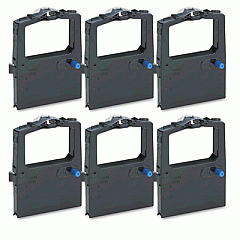
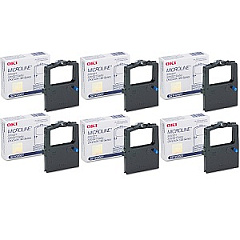
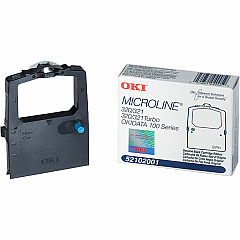
Discover top-quality Oki MICROLINE 193 Elite Impact Printers Supplies for your reliable dot-matrix printer. Our comprehensive range includes the essential Okidata 52102001 Black Ribbon Cartridge, ensuring crisp, clear prints for all your business needs. This durable ribbon cartridge is designed specifically for the MICROLINE 193 Elite, guaranteeing optimal performance and longevity. The Okidata 52102001 Ribbon Cartridge Box offers convenient storage and protection for your supplies. Whether you're printing invoices, reports, or multi-part forms, these high-quality supplies deliver consistent results. Maximize your printer's efficiency and reduce downtime with our genuine Oki supplies. Trust in the reliability and performance of Oki MICROLINE 193 Elite Impact Printers Supplies to keep your business running smoothly. Order now to ensure uninterrupted printing and maintain the superior quality your work demands.

Oki MICROLINE 193 Elite Impact Printers Supplies FAQs

  • How long does the Okidata 52102001 Black Ribbon Cartridge last?

    The Okidata 52102001 Black Ribbon Cartridge typically lasts for approximately 3 million characters, depending on usage and print density.

  • Is the Okidata 52102001 Ribbon Cartridge compatible with other Oki printers?

    The Okidata 52102001 Ribbon Cartridge is specifically designed for the Oki MICROLINE 193 Elite and may not be compatible with other printer models.

  • How do I install the ribbon cartridge in my Oki MICROLINE 193 Elite printer?

    To install the ribbon cartridge, open the printer cover, remove the old cartridge, align the new cartridge with the print head, and press it firmly into place until it clicks.

  • Can I use third-party ribbon cartridges with my Oki MICROLINE 193 Elite printer?

    While third-party cartridges may work, we recommend using genuine Oki supplies to ensure optimal print quality and prevent potential damage to your printer.

  • How often should I replace the ribbon cartridge in my Oki MICROLINE 193 Elite?

    Replace the ribbon cartridge when print quality begins to fade or becomes inconsistent, which typically occurs after 3 million characters or as needed based on your printing volume.

  • Does the Okidata 52102001 Ribbon Cartridge Box come with a ribbon cartridge?

    No, the Okidata 52102001 Ribbon Cartridge Box is sold separately and is designed for storage and protection of your ribbon cartridges.

  • Can I recycle used Oki MICROLINE 193 Elite ribbon cartridges?

    Yes, many office supply stores offer recycling programs for printer cartridges. Check with your local recycling center or office supply store for specific guidelines.

  • What type of paper can I use with the Oki MICROLINE 193 Elite printer?

    The Oki MICROLINE 193 Elite can handle various paper types, including single-sheet, continuous forms, and multi-part forms up to 5 parts thick.

  • How do I know when it's time to replace my ribbon cartridge?

    Signs that it's time to replace your ribbon cartridge include faded or light printing, missing characters, or streaky output.

  • Is the Oki MICROLINE 193 Elite printer still supported by Oki?

    While the Oki MICROLINE 193 Elite may be an older model, Oki continues to provide supplies and limited support for many of its legacy printers. Contact Oki directly for specific support information.

Warehouse Locations

Policy & Agreement | Copyright © 1995-2026 BlueDogInk.com
