





Ads

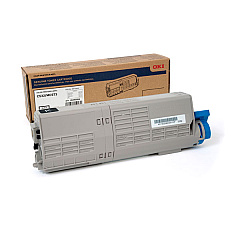
Oki C532 Black Toner Cartridges

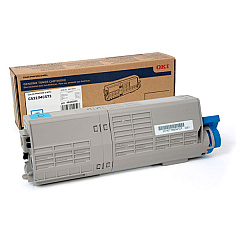
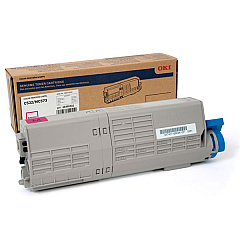
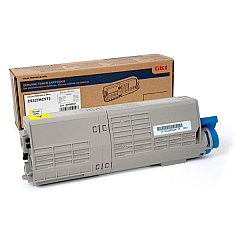
Oki C532 Color Toner Cartridges

Enhance your printing experience with high-quality Oki C532 Toner Cartridges, designed specifically for the Oki C532 printer. These reliable cartridges deliver exceptional color accuracy and sharp text, making them ideal for businesses, schools, government offices, healthcare facilities, and wholesale operations. The Okidata 46490501 Yellow, 46490502 Magenta, 46490503 Cyan, and 46490504 Black Toner Cartridges work seamlessly with your Oki C532 printer to produce professional-grade documents and vibrant marketing materials. With their high yield and consistent performance, these toner cartridges ensure cost-effective printing without compromising on quality. Whether you're printing reports, presentations, or promotional materials, Oki C532 Toner Cartridges provide the perfect balance of affordability and superior print results. Invest in these genuine Okidata supplies to maximize your printer's potential and maintain its longevity.

Oki C532 Printers Supplies FAQs

  • How long do Oki C532 Toner Cartridges typically last?

    The lifespan of Oki C532 Toner Cartridges varies depending on usage, but they generally yield around 6,000 pages for color cartridges and 7,000 pages for black cartridges.

  • Are these toner cartridges compatible with other Oki printer models?

    These specific toner cartridges are designed for the Oki C532 printer. Always check your printer's compatibility before purchasing toner cartridges.

  • Can I use third-party toner cartridges in my Oki C532 printer?

    While third-party cartridges may work, using genuine Oki toner cartridges ensures optimal print quality and prevents potential damage to your printer.

  • How do I install new toner cartridges in my Oki C532 printer?

    To install new cartridges, open the printer's front cover, remove the old cartridge, and insert the new one until it clicks into place. Refer to your printer's manual for detailed instructions.

  • What should I do with my empty toner cartridges?

    Oki offers a recycling program for empty toner cartridges. You can also check with local office supply stores or recycling centers for proper disposal options.

  • How can I tell when my toner cartridge needs to be replaced?

    Your Oki C532 printer will display a message when toner levels are low. You may also notice a decrease in print quality or faded text and images.

  • Are these toner cartridges covered by a warranty?

    Yes, genuine Oki toner cartridges come with a manufacturer's warranty. Check the packaging or contact the seller for specific warranty details.

  • Can I store unused toner cartridges for an extended period?

    Yes, you can store unused toner cartridges for up to two years. Keep them in their original packaging and store them in a cool, dry place away from direct sunlight.

  • Do I need to replace all color cartridges at the same time?

    No, you only need to replace the specific color cartridge that has run out. However, replacing all colors at once can ensure consistent print quality across all documents.

  • How can I maximize the lifespan of my Oki C532 Toner Cartridges?

    To extend cartridge life, use draft mode for internal documents, print in grayscale when color isn't necessary, and ensure your printer is regularly maintained and cleaned.

Warehouse Locations

Policy & Agreement | Copyright © 1995-2026 BlueDogInk.com
