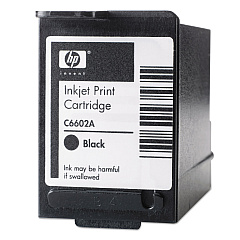
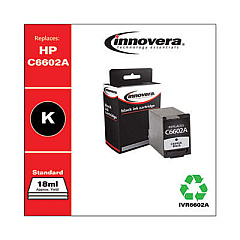





NCR Tellerscan TS 230 Financial/Bank Machines Supplies

Ads

NCR Tellerscan TS 230 Black Ink Cartridges

Ensure uninterrupted operation of your financial equipment with NCR Tellerscan TS 230 Ink Cartridges. These high-quality cartridges are designed specifically for the NCR Tellerscan TS 230, a widely used check processing device in banks and financial institutions. Compatible options include the original HP C6602A Black Ink Cartridge and the cost-effective Innovera Remanufactured Black Ink, a reliable replacement for C6602A. Both cartridges deliver crisp, clear prints essential for accurate check scanning and processing. By choosing these cartridges, you're investing in consistent performance and longevity for your NCR Tellerscan TS 230. Whether you prefer OEM or remanufactured options, these ink cartridges ensure your financial transactions remain smooth and efficient. Don't let low ink slow down your operations – stock up on NCR Tellerscan TS 230 Ink Cartridges today and keep your financial processes running seamlessly.

NCR Tellerscan TS 230 Financial/Bank Machines Supplies FAQs

  • What is the page yield of the HP C6602A Black Ink Cartridge?

    The HP C6602A Black Ink Cartridge typically yields around 18 million characters.

  • Is the Innovera Remanufactured Black Ink compatible with the NCR Tellerscan TS 230?

    Yes, the Innovera Remanufactured Black Ink is fully compatible with the NCR Tellerscan TS 230.

  • How often should I replace the ink cartridge in my NCR Tellerscan TS 230?

    Replacement frequency depends on usage, but typically every 3-6 months for heavy users or when print quality diminishes.

  • Can I use non-OEM ink cartridges in my NCR Tellerscan TS 230?

    Yes, you can use compatible cartridges like the Innovera Remanufactured Black Ink without voiding your warranty.

  • What's the difference between OEM and remanufactured ink cartridges?

    OEM cartridges are made by the original manufacturer, while remanufactured ones are recycled and refilled, often at a lower cost.

  • How do I install a new ink cartridge in the NCR Tellerscan TS 230?

    Open the cartridge compartment, remove the old cartridge, insert the new one until it clicks, and close the compartment.

  • Are these ink cartridges environmentally friendly?

    Remanufactured cartridges like the Innovera option are more environmentally friendly as they reuse materials.

  • What should I do if my NCR Tellerscan TS 230 isn't recognizing the new ink cartridge?

    Ensure the cartridge is properly seated, clean the contacts, and restart the device. If issues persist, contact support.

  • Can I refill these ink cartridges myself?

    It's not recommended to refill these cartridges yourself as it may affect print quality and potentially damage the device.

  • How long can I store unused ink cartridges?

    Unopened ink cartridges can typically be stored for up to two years if kept in a cool, dry place away from direct sunlight.

Warehouse Locations

Policy & Agreement | Copyright © 1995-2026 BlueDogInk.com
