




NCR 71 Personas Financial/Bank Machines Supplies

Ads

NCR 71 Personas Black Ink Cartridges

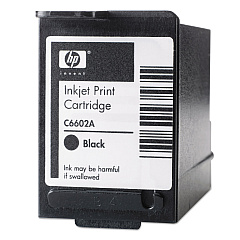
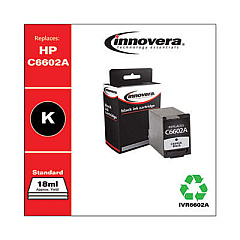
NCR 71 Personas Ink Cartridges are essential components for maintaining optimal performance in NCR point-of-sale systems. These high-quality cartridges ensure crisp, clear printing for receipts, reports, and other business documents. Compatible options include the original HP C6602A Black Ink Cartridge, known for its reliability and consistent output. For a cost-effective alternative, consider the Innovera Remanufactured Black Ink, which offers comparable quality at a lower price point. Both cartridges serve as excellent replacements for the C6602A, guaranteeing seamless integration with your NCR 71 Personas printer. By choosing these ink cartridges, businesses can ensure uninterrupted operations and professional-looking printouts. Whether you opt for the original HP cartridge or the remanufactured Innovera option, you'll experience dependable performance and superior print quality, making NCR 71 Personas Ink Cartridges an indispensable tool for your point-of-sale needs.

NCR 71 Personas Financial/Bank Machines Supplies FAQs

  • What is the page yield for NCR 71 Personas Ink Cartridges?

    The page yield varies depending on the specific cartridge, but typically ranges from 7 to 8 million characters.

  • Are remanufactured ink cartridges compatible with NCR 71 Personas printers?

    Yes, remanufactured cartridges like the Innovera Replacement For C6602A are compatible and offer a cost-effective alternative.

  • How long do NCR 71 Personas Ink Cartridges last?

    The lifespan depends on usage, but under normal conditions, these cartridges can last several months to a year.

  • Can I use non-OEM ink cartridges in my NCR 71 Personas printer?

    Yes, you can use compatible non-OEM cartridges, but ensure they are specifically designed for NCR 71 Personas printers.

  • How do I install NCR 71 Personas Ink Cartridges?

    Installation is simple: open the printer cover, remove the old cartridge, insert the new one until it clicks, and close the cover.

  • What should I do if my NCR 71 Personas printer doesn't recognize the new ink cartridge?

    Try removing and reinserting the cartridge, cleaning the contacts, or performing a printer reset. If issues persist, contact customer support.

  • Are NCR 71 Personas Ink Cartridges environmentally friendly?

    Many cartridges, especially remanufactured ones, are designed with environmental considerations in mind and can be recycled after use.

  • Can I refill NCR 71 Personas Ink Cartridges myself?

    While possible, it's not recommended as it may affect print quality and potentially damage the printer. It's best to use new or professionally remanufactured cartridges.

  • How do I store unused NCR 71 Personas Ink Cartridges?

    Store them in a cool, dry place, away from direct sunlight, and in their original packaging to maintain quality and prevent drying.

  • What's the difference between HP C6602A and Innovera Remanufactured cartridges?

    HP C6602A is the original equipment manufacturer (OEM) cartridge, while Innovera offers a remanufactured version that's more cost-effective but may have slight variations in print quality.

Warehouse Locations

Policy & Agreement | Copyright © 1995-2026 BlueDogInk.com
