




NCR 40 Personas Financial/Bank Machines Supplies

Ads

NCR 40 Personas Black Ink Cartridges

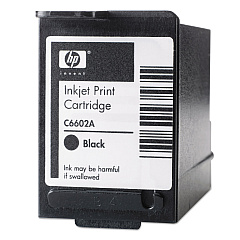
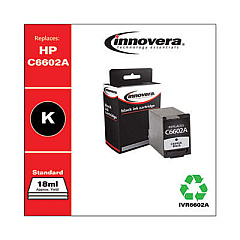
NCR 40 Personas Ink Cartridges are essential components for maintaining optimal performance in NCR point-of-sale systems. These high-quality cartridges, including the HP C6602A Black Ink Cartridge and Innovera Remanufactured Black Ink, ensure crisp, clear printing for receipts, reports, and other business documents. Compatible with various NCR 40 Personas models, these ink cartridges offer reliable output and long-lasting performance. The HP C6602A provides genuine OEM quality, while the Innovera Remanufactured option offers a cost-effective alternative without compromising on print quality. Both cartridges deliver consistent, smudge-resistant results, making them ideal for busy retail environments, healthcare facilities, and government offices. By choosing NCR 40 Personas Ink Cartridges, businesses can maintain their equipment's efficiency and produce professional-looking documents that enhance customer satisfaction and streamline operations.

NCR 40 Personas Financial/Bank Machines Supplies FAQs

  • What is the page yield for NCR 40 Personas Ink Cartridges?

    The page yield varies depending on the specific cartridge model, but typically ranges from 7 million to 18 million characters.

  • Are these ink cartridges compatible with all NCR 40 Personas models?

    These cartridges are compatible with most NCR 40 Personas models, but it's always best to check your specific printer's requirements before purchasing.

  • How long do NCR 40 Personas Ink Cartridges last?

    The lifespan of these cartridges depends on usage, but they typically last several months in a standard business environment.

  • Can I use remanufactured cartridges without voiding my printer's warranty?

    Using remanufactured cartridges generally does not void your printer's warranty, but it's advisable to check your specific warranty terms.

  • What's the difference between HP C6602A and Innovera Remanufactured cartridges?

    HP C6602A is an original equipment manufacturer (OEM) cartridge, while Innovera Remanufactured is a more cost-effective, recycled option that meets OEM standards.

  • How do I install NCR 40 Personas Ink Cartridges?

    Installation is typically simple: open the printer's cartridge compartment, remove the old cartridge, insert the new one, and close the compartment. Refer to your printer's manual for specific instructions.

  • Are these cartridges environmentally friendly?

    The Innovera Remanufactured cartridges are more environmentally friendly as they are recycled. HP also offers recycling programs for their cartridges.

  • How should I store unused NCR 40 Personas Ink Cartridges?

    Store cartridges in a cool, dry place away from direct sunlight. Keep them in their original packaging until ready for use.

  • Can I refill these ink cartridges myself?

    It's not recommended to refill these cartridges yourself, as it may affect print quality and potentially damage your printer.

  • What should I do if my printer doesn't recognize the new cartridge?

    Try removing and reinserting the cartridge, cleaning the cartridge contacts, or updating your printer's firmware. If issues persist, contact customer support.

Warehouse Locations

Policy & Agreement | Copyright © 1995-2026 BlueDogInk.com
