




NCR 220e Tellerscan TS Financial/Bank Machines Supplies

Ads

NCR 220e Tellerscan TS Black Ink Cartridges

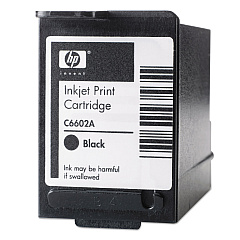
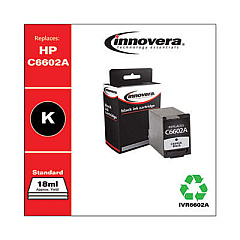
Ensure uninterrupted operation of your NCR 220e Tellerscan TS with our premium NCR 220e Tellerscan TS Ink Cartridges. Compatible with the HP C6602A Black Ink Cartridge, these cartridges deliver crisp, clear prints for all your financial document needs. We also offer the cost-effective Innovera Remanufactured Black Ink, a high-quality replacement for C6602A, perfect for budget-conscious businesses. Our ink cartridges are designed to meet the demanding requirements of financial institutions, government agencies, and educational facilities, providing reliable performance and consistent output. Whether you're processing checks, printing receipts, or generating reports, our ink cartridges ensure your NCR 220e Tellerscan TS operates at peak efficiency. Don't let low ink slow down your operations – stock up on our dependable ink cartridges today and keep your financial processes running smoothly.

NCR 220e Tellerscan TS Financial/Bank Machines Supplies FAQs

  • How long does an NCR 220e Tellerscan TS ink cartridge typically last?

    The lifespan of an ink cartridge depends on usage, but typically it can last for about 7 million characters or 500,000 to 750,000 checks.

  • Are the Innovera Remanufactured cartridges compatible with the NCR 220e Tellerscan TS?

    Yes, the Innovera Remanufactured Black Ink cartridges are fully compatible with the NCR 220e Tellerscan TS and serve as a cost-effective alternative to the original HP cartridges.

  • How do I know when it's time to replace the ink cartridge?

    The NCR 220e Tellerscan TS typically has a low ink indicator. Additionally, you may notice faded or incomplete prints when the cartridge needs replacement.

  • Can I use non-HP branded ink cartridges in my NCR 220e Tellerscan TS?

    Yes, you can use compatible cartridges like the Innovera Remanufactured Black Ink, which is designed to work with the NCR 220e Tellerscan TS.

  • What's the difference between the HP C6602A and the Innovera Remanufactured cartridge?

    The HP C6602A is the original manufacturer's cartridge, while the Innovera is a remanufactured version that offers similar quality at a lower price point.

  • How should I store unused ink cartridges?

    Store unused cartridges in a cool, dry place, away from direct sunlight. Keep them in their original packaging until ready for use to prevent drying out.

  • Are these ink cartridges environmentally friendly?

    The Innovera Remanufactured cartridges are more environmentally friendly as they reuse cartridge bodies, reducing waste. HP also offers recycling programs for their cartridges.

  • How do I install a new ink cartridge in the NCR 220e Tellerscan TS?

    To install, open the ink cartridge compartment, remove the old cartridge, insert the new one ensuring it clicks into place, and close the compartment. Refer to your device manual for specific instructions.

  • What should I do if the ink cartridge is not recognized by the device?

    First, ensure the cartridge is properly installed. If issues persist, clean the cartridge contacts and try reinserting. If problems continue, the cartridge may be defective and need replacement.

  • Can I refill these ink cartridges myself?

    While it's possible to refill cartridges, it's not recommended for the NCR 220e Tellerscan TS as it may affect print quality and potentially damage the device. It's best to use new or properly remanufactured cartridges.

Warehouse Locations

Policy & Agreement | Copyright © 1995-2026 BlueDogInk.com
