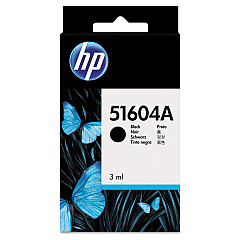





NCR 200 Tellerscan TS Financial/Bank Machines Supplies

Ads

NCR 200 Tellerscan TS Black Ink Cartridges

Ensure uninterrupted operation of your NCR 200 Tellerscan TS with our premium NCR 200 Tellerscan TS Ink Cartridges. These high-quality cartridges are designed to deliver crisp, clear prints for all your banking and financial document needs. Compatible options include the reliable HP 51604A Black Ink Cartridge and the cost-effective Innovera Remanufactured Black Ink, a replacement for 51604A (51604A). Both cartridges offer exceptional print quality and longevity, minimizing downtime and maximizing efficiency in your financial operations. Whether you're processing checks, printing receipts, or generating reports, these ink cartridges ensure consistent performance and professional results. Choose the cartridge that best suits your budget and printing requirements, and experience the difference in your NCR 200 Tellerscan TS output. Trust in our selection to keep your financial transactions running smoothly and your documents looking their best.

NCR 200 Tellerscan TS Financial/Bank Machines Supplies FAQs

  • What is the page yield of the HP 51604A Black Ink Cartridge?

    The HP 51604A Black Ink Cartridge typically yields around 500 pages, depending on usage and print density.

  • Is the Innovera Remanufactured Black Ink compatible with the NCR 200 Tellerscan TS?

    Yes, the Innovera Remanufactured Black Ink is fully compatible with the NCR 200 Tellerscan TS and serves as a cost-effective alternative to the original HP cartridge.

  • How long does an ink cartridge typically last in the NCR 200 Tellerscan TS?

    The lifespan of an ink cartridge depends on usage, but under normal conditions, it can last anywhere from 3 to 6 months.

  • Can I use third-party ink cartridges in my NCR 200 Tellerscan TS?

    While third-party cartridges may work, we recommend using either the original HP 51604A or the Innovera Remanufactured ink to ensure optimal performance and prevent potential damage to your device.

  • How do I install a new ink cartridge in the NCR 200 Tellerscan TS?

    To install a new cartridge, open the ink compartment, remove the old cartridge, insert the new one, and close the compartment. Refer to your device manual for specific instructions.

  • What should I do if my NCR 200 Tellerscan TS is not recognizing the new ink cartridge?

    Try removing and reinserting the cartridge, ensuring it's properly seated. If the issue persists, clean the cartridge contacts and try again. If problems continue, contact customer support.

  • Are these ink cartridges environmentally friendly?

    The Innovera Remanufactured ink cartridge is an environmentally friendly option as it reuses cartridge components. HP also offers a recycling program for their original cartridges.

  • Can I refill these ink cartridges myself?

    We do not recommend refilling these cartridges yourself as it may lead to poor print quality and potential damage to your device. It's best to use new or properly remanufactured cartridges.

  • What's the shelf life of unused ink cartridges?

    Unopened ink cartridges typically have a shelf life of 1-2 years. Always check the expiration date on the package before use.

  • Do you offer bulk discounts for these ink cartridges?

    Yes, we offer discounts for bulk purchases. Please contact our sales team for more information on volume pricing.

Warehouse Locations

Policy & Agreement | Copyright © 1995-2026 BlueDogInk.com
