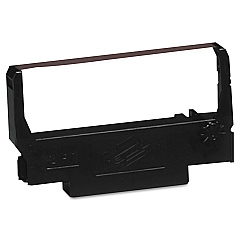
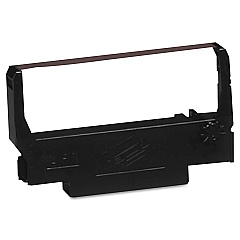





Micros Autocut 2000 Retail Equip. POS/Cash Reg. Supplies

Ads

Micros Autocut 2000 POS Printer Ribbon

Ensure smooth operations for your retail business with Micros Autocut 2000 Retail Equip. POS/Cash Reg. Supplies. These essential components are designed to keep your point-of-sale systems running efficiently, minimizing downtime and maximizing customer satisfaction. Compatible with the Micros Autocut 2000, these supplies include the versatile Epson ERC-38 Black Red Ribbon Cartridge and the reliable Epson ERC-38 Black Ribbon Cartridge. These high-quality printer supplies deliver crisp, clear receipts and reports, enhancing your professional image. Whether you're in retail, hospitality, or any other customer-facing industry, these supplies are crucial for maintaining seamless transactions. Invest in these dependable Micros Autocut 2000 Retail Equip. POS/Cash Reg. Supplies to ensure your business operations remain smooth and your customers leave satisfied. Don't let printer supply shortages slow you down – stock up today and keep your business running at peak efficiency.

Micros Autocut 2000 Retail Equip. POS/Cash Reg. Supplies FAQs

  • What is the Micros Autocut 2000?

    The Micros Autocut 2000 is a point-of-sale (POS) system and cash register commonly used in retail and hospitality environments.

  • Which printer supplies are compatible with the Micros Autocut 2000?

    The Micros Autocut 2000 is compatible with Epson ERC-38 Black Red Ribbon Cartridge and Epson ERC-38 Black Ribbon Cartridge.

  • How often should I replace the ribbon cartridge in my Micros Autocut 2000?

    The frequency of replacement depends on usage, but typically, you should replace the ribbon cartridge when print quality begins to fade or becomes illegible.

  • Can I use third-party ribbon cartridges with the Micros Autocut 2000?

    While third-party cartridges may work, it's recommended to use genuine Epson cartridges for optimal performance and to avoid potential damage to your printer.

  • How do I install a new ribbon cartridge in the Micros Autocut 2000?

    To install a new cartridge, open the printer cover, remove the old cartridge, insert the new one ensuring it clicks into place, and close the cover. Refer to your user manual for detailed instructions.

  • What's the difference between the Black Red and Black ribbon cartridges?

    The Black Red cartridge prints in both black and red, while the Black cartridge prints only in black. The choice depends on your specific printing needs.

  • How long does a typical Epson ERC-38 ribbon cartridge last?

    The lifespan of a cartridge varies based on usage, but on average, an ERC-38 cartridge can last for about 3 million characters.

  • Are these supplies compatible with other POS systems?

    While these supplies are designed for the Micros Autocut 2000, they may be compatible with other systems that use Epson ERC-38 cartridges. Always check your system's specifications before purchasing.

  • Can I recycle used ribbon cartridges?

    Yes, many office supply stores and electronics retailers offer recycling programs for used printer cartridges. Check with local retailers or Epson's recycling program for options.

  • Do you offer bulk discounts on these supplies?

    Please contact our sales team or check our website for information on bulk pricing and any current promotions on Micros Autocut 2000 supplies.

Warehouse Locations

Policy & Agreement | Copyright © 1995-2026 BlueDogInk.com
