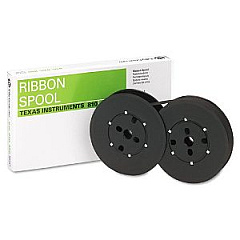





Microdata Character Impact Printers Supplies

Ads

Microdata Character Printer Ribbon

Discover top-quality Microdata Character Impact Printers Supplies at BlueDogInk.com. Our comprehensive selection includes essential components like the TallyGenicom 2246601-0003 Ribbon Cartridge, designed to enhance your printing experience. These supplies are specifically crafted for Microdata Character Impact Printers, ensuring optimal performance and longevity. Whether you're in business, education, government, or healthcare, our products cater to your high-volume printing needs. We understand the importance of reliable supplies in maintaining workflow efficiency and producing crisp, legible documents. Our Microdata Character Impact Printers Supplies are known for their durability and consistent print quality, making them ideal for invoices, reports, and multi-part forms. Trust BlueDogInk.com to provide you with genuine, compatible supplies that maximize your printer's capabilities and minimize downtime. Explore our range of Microdata Character Impact Printers Supplies today and experience the difference in your printing operations.

Microdata Character Impact Printers Supplies FAQs

  • What are Microdata Character Impact Printers?

    Microdata Character Impact Printers are high-speed, dot-matrix printers designed for heavy-duty printing tasks in business, government, and industrial environments.

  • Is the TallyGenicom 2246601-0003 Ribbon Cartridge compatible with all Microdata printers?

    The TallyGenicom 2246601-0003 Ribbon Cartridge is compatible with specific Microdata printer models. Please check your printer's specifications or contact us for compatibility information.

  • How long does a typical Microdata printer ribbon last?

    The lifespan of a Microdata printer ribbon varies depending on usage, but most ribbons last for several thousand pages of printing.

  • Can I use generic ribbons in my Microdata Character Impact Printer?

    While generic ribbons may work, we recommend using genuine or high-quality compatible ribbons to ensure optimal print quality and prevent potential damage to your printer.

  • How do I install a new ribbon in my Microdata printer?

    Installation procedures may vary by model. Generally, you'll need to open the printer cover, remove the old ribbon, and carefully insert the new one following the printer's guide path.

  • Are Microdata Character Impact Printers Supplies available for discontinued printer models?

    We strive to offer supplies for both current and many discontinued Microdata printer models. Contact us if you need help finding supplies for an older printer.

  • What types of documents are best suited for Microdata Character Impact Printers?

    These printers excel at producing multi-part forms, invoices, reports, labels, and other documents that require durability and multiple copies.

  • How often should I replace the ribbon in my Microdata printer?

    Replace the ribbon when print quality begins to fade or become inconsistent. This can vary based on usage but is typically after several thousand pages.

  • Do you offer bulk discounts on Microdata Character Impact Printers Supplies?

    Yes, we offer volume discounts for bulk orders. Please contact our sales team for more information on bulk pricing.

  • What should I do if my Microdata printer is not recognizing a new ribbon cartridge?

    First, ensure the cartridge is properly installed. If the issue persists, check for any error messages, reset the printer, or consult your printer's manual for troubleshooting steps.

Warehouse Locations

Policy & Agreement | Copyright © 1995-2026 BlueDogInk.com
