





Ads

Memorex 1302 Dot Matrix Ribbon

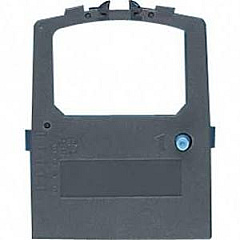
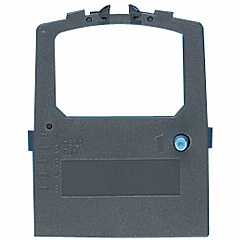
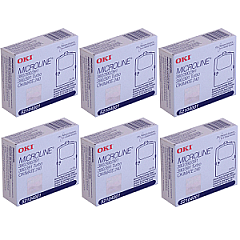
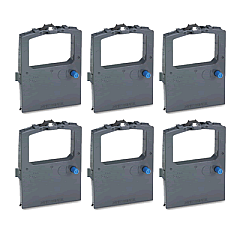
Enhance your printing efficiency with Memorex 1302 Impact Printers Supplies, designed to deliver crisp, professional results for businesses, educational institutions, government agencies, healthcare facilities, and wholesale operations. These high-quality supplies, including the Okidata 52104001 Black Ribbon Cartridge and Okidata 52104001 Ribbon Cartridge Pack, ensure consistent performance and longevity for your Memorex 1302 Impact Printer. Whether you're printing invoices, reports, or official documents, these supplies provide the reliability and clarity you need. The Okidata 52104001 cartridges are engineered to produce sharp text and graphics, minimizing downtime and maximizing productivity. With Memorex 1302 Impact Printers Supplies, you can trust that your printing needs are met with precision and cost-effectiveness, making them an ideal choice for high-volume printing environments that demand quality and durability.

Memorex 1302 Impact Printers Supplies FAQs

  • What types of supplies are available for Memorex 1302 Impact Printers?

    The main supplies available are the Okidata 52104001 Black Ribbon Cartridge and Okidata 52104001 Ribbon Cartridge Pack.

  • Are these supplies compatible with other printer models?

    These supplies are specifically designed for Memorex 1302 Impact Printers. Compatibility with other models may vary and should be verified before purchase.

  • How long does a typical ribbon cartridge last?

    The lifespan of a ribbon cartridge depends on usage, but typically it can last for several thousand pages of printing.

  • Can I buy these supplies in bulk?

    Yes, bulk purchasing options are available, especially for high-volume users or wholesale customers.

  • Are these supplies environmentally friendly?

    While impact printer supplies are not as eco-friendly as some modern alternatives, proper recycling and responsible use can minimize environmental impact.

  • How do I install a new ribbon cartridge?

    Installation is typically straightforward. Consult your printer's manual for specific instructions, but generally, you'll need to open the printer, remove the old cartridge, and snap the new one into place.

  • What's the difference between a single cartridge and a cartridge pack?

    A single cartridge is one unit, while a cartridge pack contains multiple cartridges, offering better value for high-volume users.

  • Do these supplies come with a warranty?

    Warranty details may vary. Check with the seller or manufacturer for specific warranty information on these supplies.

  • How should I store unused ribbon cartridges?

    Store unused cartridges in a cool, dry place away from direct sunlight to maintain their quality and extend their shelf life.

  • Can I refill these ribbon cartridges?

    While some users attempt to refill cartridges, it's generally not recommended as it can affect print quality and potentially damage the printer. It's best to use new, manufacturer-approved cartridges.

Warehouse Locations

Policy & Agreement | Copyright © 1995-2026 BlueDogInk.com
