









Ads

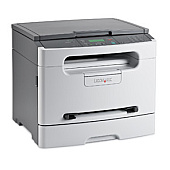
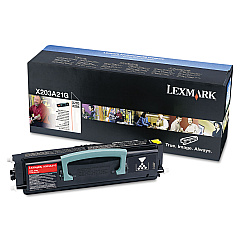
Lexmark X203N Black Toner Cartridges

Lexmark X203N Copy Paper

Enhance your printing efficiency with genuine Lexmark X203N Toner Cartridges. These high-quality consumables are designed specifically for the Lexmark X203N printer, ensuring optimal performance and crisp, professional results. The Lexmark X203A11G and X203A21G Black Toner Cartridges deliver exceptional print quality and yield, making them ideal for businesses, educational institutions, and healthcare facilities with moderate printing needs. For extended longevity, the Lexmark X203H22G Photoconductor Kit helps maintain print quality over time. By choosing authentic Lexmark supplies, you'll maximize your printer's lifespan and minimize downtime. Whether you're printing important documents, reports, or educational materials, these toner cartridges provide consistent, high-quality output. Invest in Lexmark X203N Toner Cartridges to keep your printing operations running smoothly and efficiently, while reducing overall costs and environmental impact.

Lexmark X203N Toner Cartridges FAQs

  • What is the page yield of the Lexmark X203A11G Black Toner Cartridge?

    The Lexmark X203A11G Black Toner Cartridge has an approximate yield of 2,500 pages at 5% coverage.

  • Are these toner cartridges compatible with other Lexmark printer models?

    These toner cartridges are specifically designed for the Lexmark X203N printer. They may not be compatible with other Lexmark models.

  • How often should I replace the Lexmark X203H22G Photoconductor Kit?

    The Lexmark X203H22G Photoconductor Kit typically needs replacement after processing approximately 25,000 pages.

  • What's the difference between the X203A11G and X203A21G toner cartridges?

    The X203A11G is a standard yield cartridge, while the X203A21G is a return program cartridge. They have the same yield but different pricing and recycling options.

  • Can I use third-party toner cartridges in my Lexmark X203N printer?

    While third-party cartridges may work, using genuine Lexmark toner cartridges ensures optimal print quality and prevents potential damage to your printer.

  • How do I install the toner cartridge in my Lexmark X203N printer?

    To install the toner cartridge, open the front cover, remove the old cartridge, unpack the new one, and insert it until it clicks into place. Then close the cover.

  • Are these toner cartridges environmentally friendly?

    Yes, Lexmark offers a cartridge collection program for recycling used toner cartridges, reducing environmental impact.

  • How long can I store unused toner cartridges?

    Unopened toner cartridges can be stored for up to two years in a cool, dry place away from direct sunlight.

  • What should I do if I experience print quality issues?

    First, check if the toner cartridge is properly installed and not empty. If issues persist, try cleaning the printer's interior and replacing the photoconductor kit if necessary.

  • Do these toner cartridges come with a warranty?

    Yes, genuine Lexmark toner cartridges come with a limited warranty against defects in materials and workmanship.

Warehouse Locations

Policy & Agreement | Copyright © 1995-2026 BlueDogInk.com
