





Ads

Lexmark T622in Black Toner Cartridges

Lexmark T622in Maintenance Kits

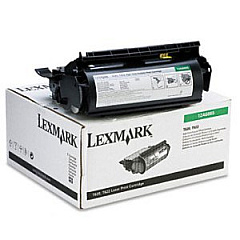
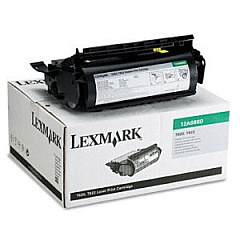
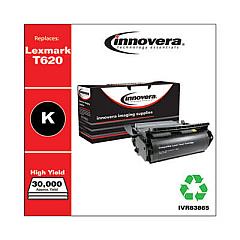
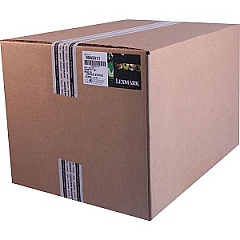
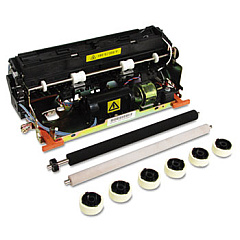
Ensure uninterrupted, high-quality printing with genuine Lexmark T622in Toner Cartridges. These reliable supplies are designed specifically for the Lexmark T622in printer, delivering crisp text and sharp images for all your business, educational, or healthcare documentation needs. The Lexmark 12A6860 and 12A6865 Black Toner Cartridges offer exceptional yield and coverage, reducing the frequency of replacements and minimizing downtime. For optimal printer performance, the Lexmark 99A2411 Fuser Maintenance Kit is essential in maintaining print quality and extending the life of your device. By choosing authentic Lexmark supplies, you guarantee compatibility, consistency, and superior results. Whether you're printing reports, presentations, or patient records, these toner cartridges ensure professional-grade output every time. Invest in Lexmark T622in Toner Cartridges for reliable, cost-effective printing that meets the demands of your busy organization.

Lexmark T622in Printers Supplies FAQs

  • What is the difference between the Lexmark 12A6860 and 12A6865 toner cartridges?

    The main difference is the yield. The 12A6865 is a high-yield cartridge that prints more pages than the standard 12A6860 cartridge.

  • How often should I replace the Lexmark 99A2411 Fuser Maintenance Kit?

    The fuser maintenance kit should typically be replaced every 300,000 pages or as recommended by your printer's maintenance schedule.

  • Are these toner cartridges compatible with other Lexmark printer models?

    These cartridges are specifically designed for the Lexmark T622in. Always check your printer's manual for compatible cartridge models.

  • What is the estimated page yield for the Lexmark 12A6860 toner cartridge?

    The Lexmark 12A6860 has an estimated yield of approximately 30,000 pages at 5% coverage.

  • Can I use third-party toner cartridges in my Lexmark T622in printer?

    While third-party cartridges may work, using genuine Lexmark cartridges ensures optimal print quality and printer performance.

  • How do I install a new toner cartridge in the Lexmark T622in?

    Open the front cover, remove the old cartridge, unpack the new one, and insert it into the printer. Refer to your printer's manual for detailed instructions.

  • What should I do with my used toner cartridges?

    Lexmark offers a cartridge recycling program. You can also check with local recycling centers for proper disposal options.

  • How long do unopened toner cartridges last?

    Unopened toner cartridges typically have a shelf life of 1-2 years when stored in a cool, dry place away from direct sunlight.

  • Can I use the Lexmark T622in toner cartridges for color printing?

    No, these cartridges are for black and white printing only. The Lexmark T622in is a monochrome printer.

  • How do I know when it's time to replace my toner cartridge?

    Your printer will display a low toner warning. You may also notice faded prints or streaks on your pages, indicating it's time for a replacement.

Warehouse Locations

Policy & Agreement | Copyright © 1995-2026 BlueDogInk.com
