





Ads

Lexmark Optra S 2450n Black Toner Cartridges

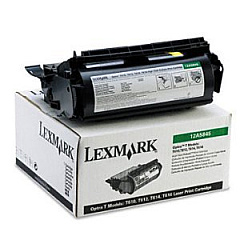
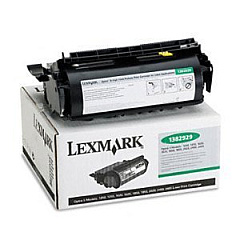
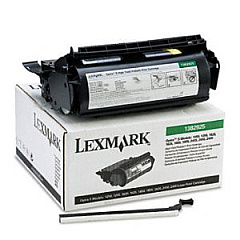
Ensure uninterrupted, high-quality printing with genuine Lexmark Optra S 2450n Toner Cartridges. These reliable cartridges are specifically designed for optimal performance in your Lexmark Optra S 2450n printer, delivering crisp, professional-grade output for all your business, educational, or healthcare needs. Choose from a range of options, including the Lexmark 1382920, 1382925, and 1382929 Black Toner Cartridges, each offering varying page yields to suit your printing volume. These cartridges provide consistent, smear-free results, reducing waste and minimizing downtime. By using authentic Lexmark supplies, you ensure your printer operates at peak efficiency, extending its lifespan and maintaining print quality. Whether you're producing important documents, reports, or presentations, Lexmark Optra S 2450n Toner Cartridges deliver the reliability and quality you need to make a lasting impression.

Lexmark Optra S 2450n Printers Supplies FAQs

  • What is the page yield for each Lexmark Optra S 2450n toner cartridge?

    The page yield varies by cartridge model: Lexmark 1382920 yields approximately 5,000 pages, 1382925 yields about 17,600 pages, and 1382929 yields around 30,000 pages.

  • Are these toner cartridges compatible with other Lexmark printer models?

    These cartridges are specifically designed for the Lexmark Optra S 2450n. Always check your printer's manual for compatible cartridge models.

  • How long do unopened toner cartridges last?

    Unopened toner cartridges typically have a shelf life of 2-3 years when stored properly in a cool, dry place away from direct sunlight.

  • Can I use third-party or refilled cartridges in my Lexmark Optra S 2450n?

    While third-party cartridges may work, using genuine Lexmark cartridges ensures optimal print quality and prevents potential damage to your printer.

  • How do I know when it's time to replace my toner cartridge?

    Your printer will typically display a low toner warning. You may also notice faded prints or streaks on your pages.

  • Are these toner cartridges environmentally friendly?

    Lexmark offers a cartridge recycling program to minimize environmental impact. Check Lexmark's website for details on how to participate.

  • What's the difference between the 1382920, 1382925, and 1382929 cartridges?

    The main difference is the page yield. Choose based on your printing volume needs: 1382920 for low, 1382925 for medium, and 1382929 for high volume printing.

  • How do I install a new toner cartridge in my Lexmark Optra S 2450n?

    Open the printer's front cover, remove the old cartridge, unpack the new one, and insert it until it clicks into place. Close the cover to complete installation.

  • Can I buy these toner cartridges in bulk?

    Yes, many suppliers offer bulk purchasing options for businesses with high-volume printing needs. Contact the seller for bulk pricing information.

  • What should I do if I experience print quality issues with a new cartridge?

    First, ensure the cartridge is properly installed. If issues persist, try printing a test page or cleaning the print heads. If problems continue, contact Lexmark support for assistance.

Warehouse Locations

Policy & Agreement | Copyright © 1995-2026 BlueDogInk.com
