






Ads

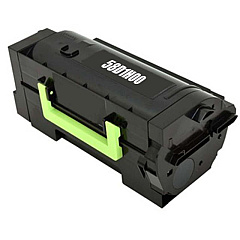
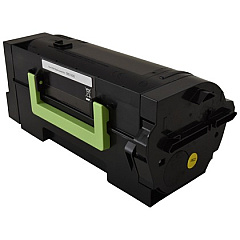
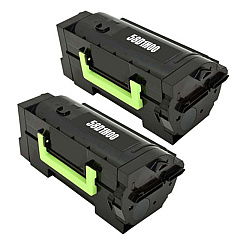
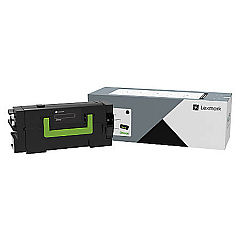
Lexmark MX721 Black Toner Cartridges

Lexmark MX721 Government Toner Cartridge

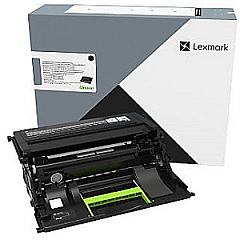
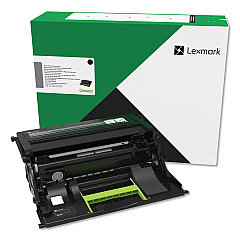
Lexmark MX721 Drum Units

Lexmark MX721 Fusers

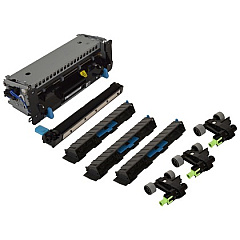
Lexmark MX721 Maintenance Kits

Lexmark MX721 Paper Trays

Lexmark MX721 Printer Accessories

Lexmark MX721 Warranty and Services

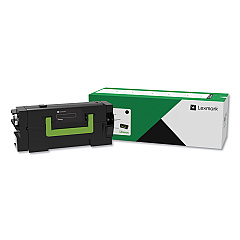
Enhance your printing experience with genuine Lexmark MX721 Toner Cartridges and accessories. Our comprehensive range includes high-yield black toner cartridges, imaging units, and various hardware upgrades to optimize your printer's performance. From the 58D0X0G Black Toner Cartridge for extended print runs to the 41X2250 Return Program High Yield Fuser Maintenance Kit for reliable operation, we've got you covered. Boost your printer's capabilities with add-ons like the 27X6410 MarkNet N8372 Wireless Print Server or the 40C9200 Forms and Bar Code Card. Whether you need to expand paper capacity with the 50G0804 2100-Sheet Tray or enhance connectivity with the 27X0142 MarkNet N8230 Fiber Ethernet, our selection of Lexmark MX721 Toner Cartridges and accessories ensures your printer meets all your business needs.

Lexmark MX721 Printers Supplies FAQs

  • What is the page yield of the Lexmark 58D0X0G Black Toner Cartridge?

    The Lexmark 58D0X0G Black Toner Cartridge has a page yield of approximately 45,000 pages at 5% coverage.

  • Is the Lexmark 58D0ZA0 Imaging Unit compatible with the MX721 printer?

    Yes, the Lexmark 58D0ZA0 Imaging Unit is compatible with the Lexmark MX721 printer.

  • How often should I replace the maintenance kit?

    The maintenance kit (41X2233) should typically be replaced after approximately 225,000 pages, but this can vary based on usage.

  • Can I use non-Lexmark toner cartridges in my MX721 printer?

    While third-party cartridges may work, using genuine Lexmark toner cartridges ensures optimal print quality and printer performance.

  • What's the difference between the 58D0H0G and 58D0X0G toner cartridges?

    The 58D0X0G is an extra high-yield cartridge with a higher page yield compared to the high-yield 58D0H0G cartridge.

  • How do I install the 27X6410 MarkNet N8372 Wireless Print Server?

    The 27X6410 MarkNet N8372 Wireless Print Server can be installed in the printer's optional card slot. Detailed instructions are provided in the product manual.

  • What is the purpose of the 40C9200 Forms and Bar Code Card?

    The 40C9200 Forms and Bar Code Card enables your printer to generate various barcode formats and supports electronic forms printing.

  • Can I upgrade my printer's memory?

    Yes, you can upgrade your printer's memory using the 57X0204 Memory Expansion DDR3 module.

  • What's the capacity of the 50G0804 2100-Sheet Tray?

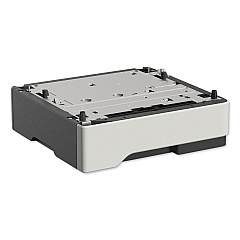
    As the name suggests, the 50G0804 2100-Sheet Tray has a capacity of 2,100 sheets, significantly increasing your printer's paper handling capability.

  • Is the 500GB Hard Disk Drive (27X0500) necessary for my MX721 printer?

    While not essential for basic printing, the 500GB Hard Disk Drive can enhance performance for complex print jobs and enables features like job storage and encryption.

Warehouse Locations

Policy & Agreement | Copyright © 1995-2026 BlueDogInk.com
