



















Ads

Lexmark M3150 Fusers

Lexmark M3150 Maintenance Kits

Lexmark M3150 Printer Accessories

Lexmark M3150 Printer Parts

Lexmark M3150 Copy Paper

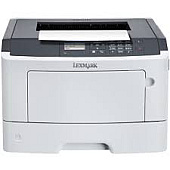
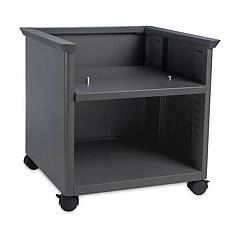
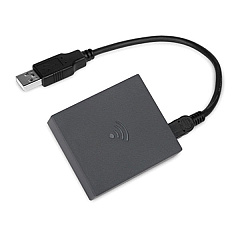
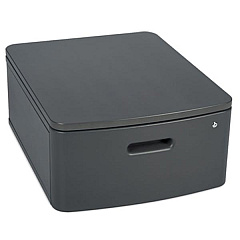
Enhance your printing experience with genuine Lexmark M3150 Toner Cartridges and accessories. This versatile printer offers a wide range of compatible components to optimize performance and functionality. From wireless connectivity options like the 27X0135 Wireless plus NFC to storage upgrades such as the 27X0210 Hard Disk, the M3150 adapts to your business needs. Improve efficiency with the 34S4500 Forms and Barcode eMMC Card or the 34S4502 PRESCRIBE eMMC Card. Maintain peak performance with essential parts like the 40X8023 Fuser, 40X8085 Main Drive Gearbox, and 40X8434 Maintenance Kit. Expand capabilities with various memory options and the 57X9101 User Flash Memory. Whether you need replacement parts like the Front Access Cover or Sensor, or want to enhance your setup with the 35S8502 Adjustable Printer Stand, these genuine Lexmark supplies ensure optimal print quality and longevity for your M3150 printer.

Lexmark M3150 Toner Cartridges FAQs

  • What is the page yield of Lexmark M3150 Toner Cartridges?

    The page yield varies depending on the specific toner cartridge model. Please refer to the product specifications for accurate yield information.

  • Are these toner cartridges compatible with other Lexmark printer models?

    Lexmark M3150 Toner Cartridges are designed specifically for the M3150 printer. Always check compatibility before purchasing for other models.

  • How often should I replace the maintenance kit?

    The 40X8434 Maintenance Kit should be replaced according to the printer's recommended maintenance schedule, typically after a certain number of pages or as indicated by the printer.

  • Can I use third-party toner cartridges in my Lexmark M3150 printer?

    While third-party cartridges may work, using genuine Lexmark toner cartridges ensures optimal print quality and prevents potential damage to your printer.

  • What is the purpose of the 34S4500 Forms and Barcode eMMC Card?

    This card enhances the printer's capabilities to handle complex forms and barcode printing tasks more efficiently.

  • How do I install the 27X0135 Wireless plus NFC module?

    Installation instructions are provided with the module. Generally, it involves powering off the printer, inserting the module into the designated slot, and following the setup prompts.

  • What is the benefit of adding the 27X0210 Hard Disk?

    The hard disk provides additional storage for print jobs, fonts, and forms, improving the printer's performance for complex or high-volume printing tasks.

  • How often should I replace the 41X0958 Pick Tire?

    Replace the pick tire when you notice paper feed issues or as recommended in your printer's maintenance schedule.

  • Can I upgrade the printer's memory?

    Yes, you can upgrade the printer's memory using compatible options like the 57X9012 or 57X9016 Memory modules.

  • What is the purpose of the 3073173 Swivel Cabinet?

    The swivel cabinet provides a stable base for your printer while offering convenient storage for supplies and allowing easy access from multiple angles.

Warehouse Locations

Policy & Agreement | Copyright © 1995-2026 BlueDogInk.com
