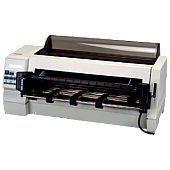
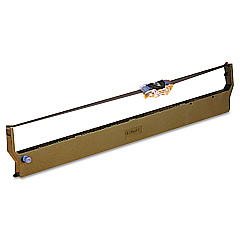
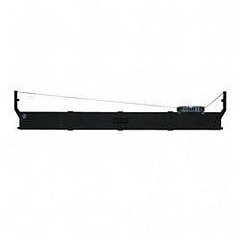





Lexmark Forms Printer 4227 Dot Matrix Printers Supplies

Ads

Lexmark Forms Printer 4227 Dot Matrix Ribbon

Discover reliable Lexmark Forms Printer 4227 Dot Matrix Printers Supplies for your high-volume printing needs. These durable supplies are designed to deliver crisp, clear text and graphics on multi-part forms, invoices, and other business documents. The Lexmark 13L0034 Ribbon, a key component of these supplies, ensures consistent print quality and long-lasting performance. With its high-yield capacity, this ribbon minimizes interruptions and maximizes productivity in busy office environments. Compatible with the robust Lexmark Forms Printer 4227, these supplies are ideal for businesses, healthcare facilities, and government agencies that require dependable, cost-effective printing solutions. Experience the perfect balance of quality and affordability with Lexmark Forms Printer 4227 Dot Matrix Printers Supplies, engineered to meet the demands of continuous form printing while reducing overall operational costs.

Lexmark Forms Printer 4227 Dot Matrix Printers Supplies FAQs

  • How long does the Lexmark 13L0034 Ribbon typically last?

    The Lexmark 13L0034 Ribbon typically lasts for approximately 8 million characters, depending on usage and print density.

  • Is the Lexmark 13L0034 Ribbon compatible with other printer models?

    The Lexmark 13L0034 Ribbon is specifically designed for the Lexmark Forms Printer 4227 and may not be compatible with other printer models.

  • How do I install the Lexmark 13L0034 Ribbon?

    To install the ribbon, open the printer cover, remove the old ribbon, and carefully insert the new ribbon following the printer's guide path. Ensure it's properly seated and tensioned before closing the cover.

  • Can I use third-party ribbons with the Lexmark Forms Printer 4227?

    While third-party ribbons may work, using genuine Lexmark supplies is recommended to ensure optimal print quality and prevent potential damage to your printer.

  • How often should I replace the ribbon in my Lexmark Forms Printer 4227?

    Replace the ribbon when print quality becomes faint or inconsistent, typically after 8 million characters or as needed based on your printing volume.

  • Does the Lexmark Forms Printer 4227 require any other supplies besides the ribbon?

    The ribbon is the primary consumable for this printer. However, you may need to replace the printhead or other parts over time, depending on usage and wear.

  • Can the Lexmark Forms Printer 4227 handle multi-part forms?

    Yes, the Lexmark Forms Printer 4227 is designed to handle multi-part forms efficiently, making it ideal for businesses that frequently use such documents.

  • What is the print speed of the Lexmark Forms Printer 4227?

    The Lexmark Forms Printer 4227 can print up to 400 characters per second in draft mode and 200 characters per second in near-letter-quality mode.

  • Is the Lexmark Forms Printer 4227 compatible with modern operating systems?

    The printer is compatible with various operating systems, including Windows. However, for the most up-to-date compatibility information, check Lexmark's official website or consult their support team.

  • Where can I purchase genuine Lexmark Forms Printer 4227 Dot Matrix Printers Supplies?

    You can purchase genuine supplies from authorized Lexmark resellers, office supply stores, or trusted online retailers like BlueDogInk.com.

Warehouse Locations

Policy & Agreement | Copyright © 1995-2026 BlueDogInk.com
