





Ads

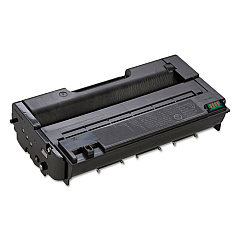
Lanier SP 3500 SF Black Toner Cartridges

Enhance your printing efficiency with genuine Lanier SP 3500 SF Toner Cartridges. These high-quality cartridges are designed specifically for the Lanier SP 3500 SF printer, ensuring optimal performance and crisp, professional results. Choose between the Ricoh 406464 Black Toner Cartridge for standard yield or the Ricoh 406989 Black Toner Cartridge for high-capacity printing needs. Both options deliver exceptional print quality, reliability, and value for your business, educational institution, government office, healthcare facility, or wholesale operation. With these Lanier SP 3500 SF Toner Cartridges, you'll experience consistent, sharp text and graphics, reduced downtime, and cost-effective printing solutions. Invest in genuine Lanier toner cartridges to maintain your printer's warranty and maximize its lifespan. Trust in the superior quality and performance of these toner cartridges to meet your demanding printing requirements.

Lanier SP 3500 SF Toner Cartridges FAQs

  • What is the page yield for the Ricoh 406464 Black Toner Cartridge?

    The Ricoh 406464 Black Toner Cartridge has a standard yield of approximately 6,400 pages.

  • What is the page yield for the Ricoh 406989 Black Toner Cartridge?

    The Ricoh 406989 Black Toner Cartridge has a high yield of approximately 10,000 pages.

  • Are these toner cartridges compatible with other Lanier printer models?

    These toner cartridges are specifically designed for the Lanier SP 3500 SF printer. Always check your printer's compatibility before purchasing.

  • How long do these toner cartridges typically last?

    The lifespan of the cartridges depends on your printing volume and settings. Under normal use, they can last several months to a year.

  • Are these genuine Lanier toner cartridges?

    Yes, these are genuine Lanier toner cartridges manufactured by Ricoh for optimal performance and quality.

  • Can I use third-party or remanufactured cartridges instead?

    While third-party options exist, using genuine Lanier cartridges ensures the best print quality and helps maintain your printer's warranty.

  • How do I install the toner cartridge in my Lanier SP 3500 SF printer?

    Consult your printer's user manual for specific instructions, but generally, you'll need to open the front cover, remove the old cartridge, and insert the new one until it clicks into place.

  • What should I do with my empty toner cartridges?

    Ricoh offers a recycling program for empty toner cartridges. Check their website or contact your local office supply store for recycling options.

  • How can I extend the life of my toner cartridge?

    To extend cartridge life, use draft mode for non-critical prints, print in grayscale when possible, and avoid unnecessary printing.

  • Do these toner cartridges come with a warranty?

    Yes, genuine Lanier toner cartridges typically come with a manufacturer's warranty. Check the packaging or contact the seller for specific warranty information.

Warehouse Locations

Policy & Agreement | Copyright © 1995-2026 BlueDogInk.com
