





Ads

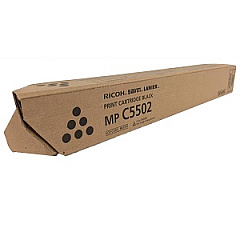
Lanier MP C4502 Black Toner Cartridges

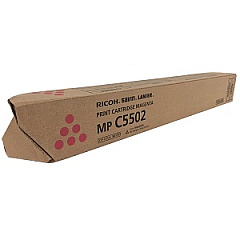
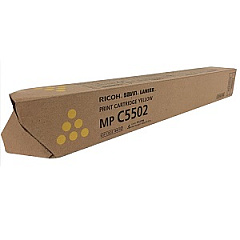
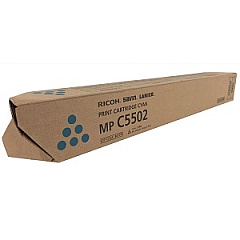
Lanier MP C4502 Color Toner Cartridges

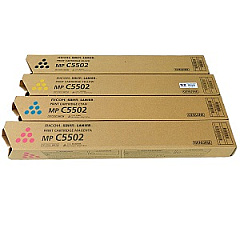
Lanier MP C4502 Toner Set

Enhance your printing experience with high-quality Lanier MP C4502 Toner Cartridges. These reliable cartridges are designed to deliver exceptional color accuracy and sharp text for your business, educational, healthcare, or government printing needs. The set includes Ricoh 841751 Black, 841752 Yellow, 841753 Magenta, and 841754 Cyan toner cartridges, ensuring vibrant and professional results every time. Compatible with the Lanier MP C4502 multifunction printer, these cartridges offer consistent performance and long-lasting output. Whether you're printing important documents, presentations, or marketing materials, these toner cartridges provide the quality and efficiency you need. Invest in genuine Ricoh toner cartridges to maintain your printer's optimal performance and extend its lifespan. With easy installation and high page yields, these cartridges are the perfect choice for busy offices and organizations that demand top-notch print quality and reliability.

Lanier MP C4502 Printers Supplies FAQs

  • What is the page yield for each Lanier MP C4502 toner cartridge?

    The page yield varies by color. Black typically yields around 31,000 pages, while each color cartridge (Cyan, Magenta, Yellow) yields approximately 22,500 pages.

  • Are these toner cartridges compatible with other Lanier or Ricoh printers?

    These cartridges are specifically designed for the Lanier MP C4502. However, they may be compatible with some other Ricoh models. Always check your printer's compatibility before purchasing.

  • How long do these toner cartridges typically last?

    The lifespan of the cartridges depends on your printing volume and content. Under normal use, they can last several months to a year.

  • Are these genuine Ricoh toner cartridges?

    Yes, these are genuine Ricoh toner cartridges designed for use in the Lanier MP C4502 printer.

  • Can I use third-party or remanufactured cartridges instead?

    While third-party options exist, using genuine Ricoh cartridges ensures optimal print quality and prevents potential damage to your printer.

  • How do I install these toner cartridges?

    Installation is simple. Open the front panel of your printer, remove the old cartridge, and insert the new one until it clicks into place. Detailed instructions are included with each cartridge.

  • What should I do with my empty toner cartridges?

    Ricoh offers a recycling program for empty cartridges. You can also check with local office supply stores or recycling centers for proper disposal options.

  • Do these cartridges come with a warranty?

    Yes, genuine Ricoh toner cartridges typically come with a manufacturer's warranty against defects in materials and workmanship.

  • How can I maximize the lifespan of my toner cartridges?

    To extend cartridge life, use draft mode for internal documents, print in black and white when color isn't necessary, and keep your printer in a clean, dry environment.

  • Can I buy individual color cartridges or do I need to purchase the full set?

    You can purchase individual color cartridges as needed. It's not necessary to replace all colors at once unless they're all depleted.

Warehouse Locations

Policy & Agreement | Copyright © 1995-2026 BlueDogInk.com
