





Ads

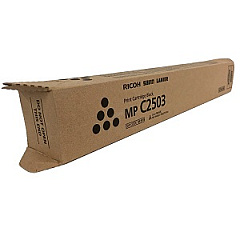
Lanier MP C2503 Black Toner Cartridges

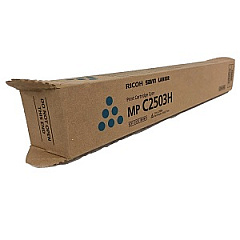
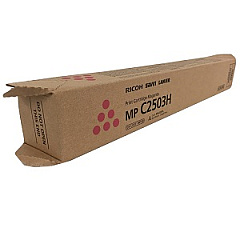
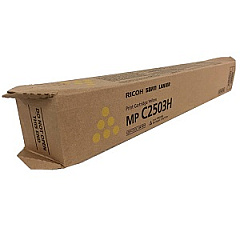
Lanier MP C2503 Color Toner Cartridges

Enhance your printing experience with high-quality Lanier MP C2503 Toner Cartridges. These reliable cartridges are designed to deliver exceptional color accuracy and sharp text for your business, educational, healthcare, or government printing needs. The set includes Ricoh 841918 Black, 841919 Yellow, 841920 Magenta, and 841921 Cyan toner cartridges, ensuring vibrant and professional results every time. These genuine Ricoh toner cartridges are specifically engineered for optimal performance in your Lanier MP C2503 printer, guaranteeing consistent output and minimizing downtime. With their high page yield and superior print quality, these toner cartridges offer an excellent balance of cost-effectiveness and performance. Trust in the reliability and efficiency of Lanier MP C2503 Toner Cartridges to meet your diverse printing demands, from everyday documents to high-impact marketing materials. Invest in these top-tier toner cartridges to maximize your printer's potential and achieve outstanding results.

Lanier MP C2503 Printers Supplies FAQs

  • Are these toner cartridges compatible with other Lanier printers?

    These toner cartridges are specifically designed for the Lanier MP C2503 printer. They may not be compatible with other Lanier models.

  • What is the page yield for each toner cartridge?

    The page yield varies depending on the specific cartridge and print coverage. Please refer to the product specifications for detailed information.

  • Are these genuine Ricoh toner cartridges?

    Yes, these are genuine Ricoh toner cartridges designed for use in the Lanier MP C2503 printer.

  • How long do these toner cartridges typically last?

    The lifespan of the cartridges depends on usage patterns and print volume. Under normal conditions, they should last several months to a year.

  • Can I use third-party toner cartridges instead?

    While third-party options exist, using genuine Ricoh toner cartridges ensures optimal performance and print quality, and maintains your printer's warranty.

  • How do I install these toner cartridges?

    Installation is straightforward. Open the printer's front panel, remove the old cartridge, and insert the new one until it clicks into place. Refer to your printer's manual for detailed instructions.

  • Are these toner cartridges environmentally friendly?

    Ricoh is committed to environmental sustainability. These cartridges are designed to minimize waste and can be recycled through Ricoh's recycling program.

  • What should I do if I experience print quality issues?

    First, ensure the cartridges are properly installed. If issues persist, try cleaning the print heads or running a printer diagnostic. If problems continue, contact Ricoh support.

  • Can I buy individual color cartridges or do I need to purchase the full set?

    You can purchase individual color cartridges as needed. It's not necessary to replace all cartridges at once unless they're all depleted.

  • How should I store unused toner cartridges?

    Store unused cartridges in a cool, dry place away from direct sunlight. Keep them in their original packaging until ready for use to protect them from damage and extend their shelf life.

Warehouse Locations

Policy & Agreement | Copyright © 1995-2026 BlueDogInk.com
