




Ads

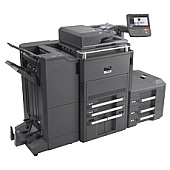
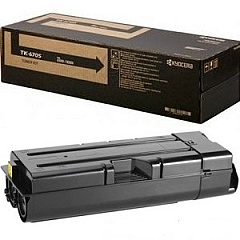
Kyocera TASKalfa 8000i Black Toner Cartridges

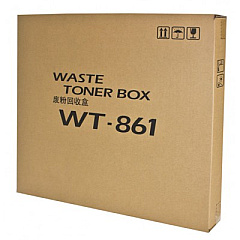
Kyocera TASKalfa 8000i Waste Toner Kits

Enhance your office productivity with genuine Kyocera TASKalfa 8000i Toner Cartridges. These high-quality consumables are designed specifically for the TASKalfa 8000i multifunction printer, ensuring optimal performance and crisp, professional output. The Kyocera TK6707 Black Toner Cartridge delivers exceptional print quality and impressive page yields, reducing the frequency of replacements and minimizing downtime. To maintain your device's efficiency, don't forget the Kyocera WT-861 Waste Toner Container, which safely collects excess toner during the printing process. By choosing authentic Kyocera supplies, you'll maximize your printer's lifespan and consistently produce sharp, clear documents. Whether you're in a busy corporate environment, educational institution, or healthcare facility, these reliable toner cartridges will meet your high-volume printing needs while maintaining cost-effectiveness and environmental responsibility.

Kyocera TASKalfa 8000i Printers Supplies FAQs

  • What is the page yield of the Kyocera TK6707 Black Toner Cartridge?

    The Kyocera TK6707 Black Toner Cartridge has an estimated yield of 70,000 pages at 5% coverage.

  • Is the Kyocera WT-861 Waste Toner Container necessary?

    Yes, the WT-861 Waste Toner Container is essential for collecting excess toner and maintaining the printer's cleanliness and efficiency.

  • Are these toner cartridges compatible with other Kyocera models?

    These cartridges are specifically designed for the Kyocera TASKalfa 8000i. Always check your printer's compatibility before purchasing.

  • How often should I replace the toner cartridge?

    Replace the toner cartridge when print quality diminishes or when prompted by the printer, typically after about 70,000 pages for the TK6707.

  • Can I use third-party toner cartridges in my Kyocera TASKalfa 8000i?

    While third-party cartridges may work, using genuine Kyocera toner ensures optimal print quality and prevents potential damage to your printer.

  • How do I install the new toner cartridge?

    Consult your printer's user manual for specific instructions, but generally, you'll need to open the front panel, remove the old cartridge, and insert the new one until it clicks into place.

  • What should I do with my used toner cartridges?

    Kyocera offers a recycling program for used toner cartridges. Check their website or contact your local Kyocera dealer for recycling options.

  • How long can I store unused toner cartridges?

    Unopened toner cartridges can typically be stored for up to two years in a cool, dry place away from direct sunlight.

  • Does using genuine Kyocera toner affect my printer's warranty?

    Using genuine Kyocera toner helps maintain your printer's warranty. Using third-party cartridges may void the warranty if they cause damage to the printer.

  • Can I purchase these toner cartridges in bulk for my business?

    Yes, many suppliers offer bulk purchasing options for businesses. Contact the seller or a Kyocera representative for volume pricing and availability.

Warehouse Locations

Policy & Agreement | Copyright © 1995-2026 BlueDogInk.com
