





Ads

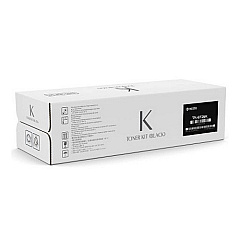
Kyocera TASKalfa 7353ci Black Toner Cartridges

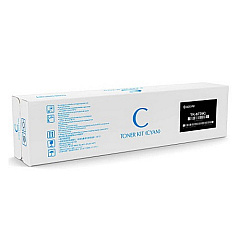
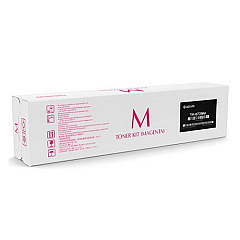
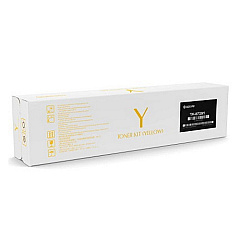
Kyocera TASKalfa 7353ci Color Toner Cartridges

Kyocera TASKalfa 7353ci Toner Set

Kyocera TASKalfa 7353ci Waste Toner Kits

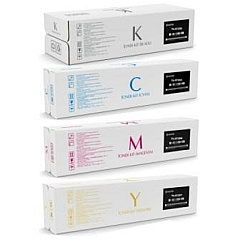
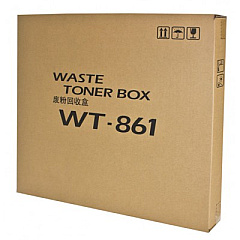
Enhance your printing experience with genuine Kyocera TASKalfa 7353ci Toner Cartridges. These high-quality consumables are designed to deliver exceptional performance and vibrant output for your Kyocera TASKalfa 7353ci multifunction printer. The comprehensive set includes the TK-8737 Toner Cartridge Set, featuring individual cartridges for cyan, black, magenta, and yellow. Each cartridge is engineered to produce crisp text and vivid colors, ensuring professional-quality documents every time. For optimal waste management, the WT-861 Waste Toner Container efficiently collects excess toner, maintaining a clean printing environment. By choosing authentic Kyocera supplies, you'll maximize your printer's efficiency, extend its lifespan, and consistently achieve superior print results. Whether you're in a busy office, educational institution, or healthcare facility, these reliable toner cartridges will keep your Kyocera TASKalfa 7353ci running smoothly and productively.

Kyocera TASKalfa 7353ci Toner Cartridges FAQs

  • How long do Kyocera TASKalfa 7353ci toner cartridges typically last?

    The lifespan of toner cartridges varies depending on usage, but they generally yield around 70,000 pages for black and 30,000 pages for each color.

  • Are these toner cartridges compatible with other Kyocera printer models?

    These specific cartridges are designed for the Kyocera TASKalfa 7353ci. Always check your printer's manual for compatible cartridge models.

  • How often should I replace the waste toner container?

    The WT-861 Waste Toner Container typically needs replacement after processing about 600,000 pages, but this can vary based on print coverage and usage patterns.

  • Can I use third-party toner cartridges in my Kyocera TASKalfa 7353ci?

    While third-party cartridges may work, using genuine Kyocera toner cartridges ensures optimal performance and maintains your printer's warranty.

  • How can I tell when it's time to replace a toner cartridge?

    Your printer will display a message indicating low toner levels. You may also notice a decrease in print quality as the toner nears depletion.

  • Are these toner cartridges environmentally friendly?

    Yes, Kyocera designs its cartridges with environmental sustainability in mind, using recyclable materials and offering recycling programs for used cartridges.

  • Can I replace individual color cartridges, or do I need to replace all at once?

    You can replace individual color cartridges as needed. There's no need to replace all colors simultaneously unless they're all depleted.

  • What should I do if I experience print quality issues after installing new cartridges?

    First, ensure the cartridges are properly installed. If issues persist, run a printer cleaning cycle or consult your printer's manual for troubleshooting steps.

  • How should I store unused toner cartridges?

    Store cartridges in a cool, dry place away from direct sunlight. Keep them in their original packaging until ready for use to protect them from damage and dust.

  • Is it safe to handle toner cartridges if they leak?

    While toner isn't typically harmful, it's best to avoid skin contact. If a cartridge leaks, clean it up with a damp cloth and dispose of it properly. Always wash your hands afterward.

Warehouse Locations

Policy & Agreement | Copyright © 1995-2026 BlueDogInk.com
