





Ads

Kyocera TASKalfa 4012i Black Toner Cartridges

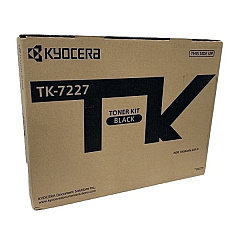
Enhance your office productivity with genuine Kyocera TASKalfa 4012i Toner Cartridges. These high-quality consumables are designed specifically for the TASKalfa 4012i multifunction printer, ensuring optimal performance and crisp, professional-grade output. The Kyocera TK-7227 Black Toner Cartridge (1T02V60USJ) delivers exceptional print quality and reliability, making it ideal for businesses, educational institutions, government offices, healthcare facilities, and wholesale operations. With a generous yield, these toner cartridges minimize downtime and reduce overall printing costs. Experience consistent, sharp text and graphics while maintaining the longevity of your Kyocera TASKalfa 4012i printer. Trust in the superior quality of genuine Kyocera supplies to meet your high-volume printing needs efficiently and cost-effectively. Invest in Kyocera TASKalfa 4012i Toner Cartridges for unparalleled results and maximum productivity in your demanding work environment.

Kyocera TASKalfa 4012i Printers Supplies FAQs

  • What is the page yield of the Kyocera TK-7227 Black Toner Cartridge?

    The Kyocera TK-7227 Black Toner Cartridge has an estimated yield of 35,000 pages at 5% coverage.

  • Is the Kyocera TK-7227 compatible with other printer models?

    The TK-7227 is specifically designed for the Kyocera TASKalfa 4012i printer. It may not be compatible with other models.

  • How can I ensure I'm buying genuine Kyocera toner cartridges?

    Purchase from authorized Kyocera dealers or reputable suppliers like BlueDogInk.com to ensure you're getting genuine Kyocera products.

  • What is the shelf life of unopened Kyocera toner cartridges?

    Unopened Kyocera toner cartridges typically have a shelf life of 1-2 years when stored properly in a cool, dry place.

  • Can I recycle used Kyocera toner cartridges?

    Yes, Kyocera offers a recycling program for used toner cartridges. Check their website or contact your local Kyocera dealer for details.

  • How do I install the Kyocera TK-7227 toner cartridge?

    Refer to your printer's user manual for specific instructions. Generally, you'll need to open the front cover, remove the old cartridge, and insert the new one until it clicks into place.

  • Are there any precautions I should take when handling toner cartridges?

    Avoid touching the drum surface, keep away from direct sunlight, and don't shake the cartridge vigorously. Always handle with care to prevent damage or toner leakage.

  • How can I extend the life of my Kyocera TK-7227 toner cartridge?

    Use draft mode for non-critical prints, maintain your printer regularly, and avoid unnecessary printing to maximize toner cartridge life.

  • What should I do if I experience print quality issues with my new toner cartridge?

    First, ensure the cartridge is properly installed. If issues persist, run a printer cleaning cycle or contact Kyocera support for assistance.

  • Does using genuine Kyocera toner cartridges affect my printer's warranty?

    Using genuine Kyocera toner cartridges helps maintain your printer's warranty. Using third-party cartridges may void the warranty in some cases.

Warehouse Locations

Policy & Agreement | Copyright © 1995-2026 BlueDogInk.com
