





Ads

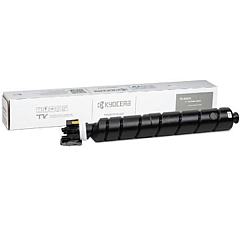
Kyocera TASKalfa 2554ci Black Toner Cartridges

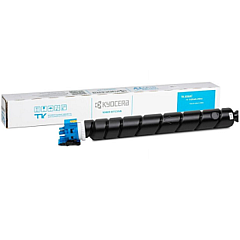
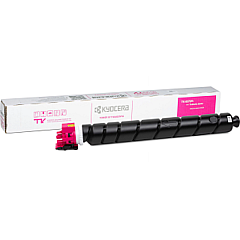
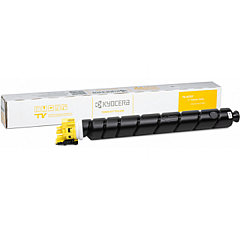
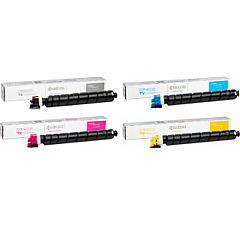
Kyocera TASKalfa 2554ci Color Toner Cartridges

Kyocera TASKalfa 2554ci Toner Set

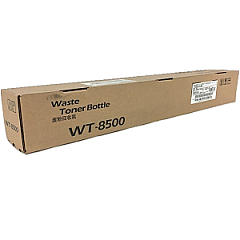
Kyocera TASKalfa 2554ci Waste Toner Kits

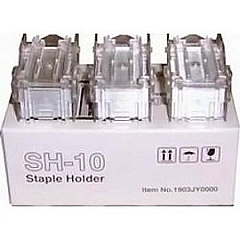
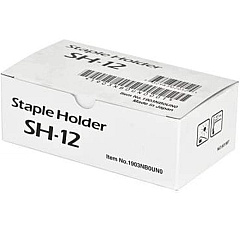
Kyocera TASKalfa 2554ci Printer Staples

Enhance your printing experience with genuine Kyocera TASKalfa 2554ci Toner Cartridges. These high-quality supplies ensure optimal performance and exceptional print quality for your Kyocera TASKalfa 2554ci multifunction printer. The comprehensive range includes black, cyan, magenta, and yellow toner cartridges, available individually or as a set. For finishing touches, choose from the SH-10 or SH-12 staple cartridge 3-packs. The WT8500 waste toner box efficiently manages excess toner, maintaining a clean printing environment. These authentic Kyocera supplies are designed to deliver crisp text, vibrant colors, and long-lasting prints. By using genuine Kyocera TASKalfa 2554ci Toner Cartridges, you'll maximize your printer's efficiency, reduce downtime, and achieve professional-quality results. Trust in Kyocera's commitment to excellence and keep your TASKalfa 2554ci performing at its best with these reliable, high-yield consumables.

Kyocera TASKalfa 2554ci Printer Supplies FAQs

  • What is the page yield for Kyocera TK-8367 toner cartridges?

    The page yield varies by color. Black typically yields around 30,000 pages, while cyan, magenta, and yellow yield approximately 25,000 pages each.

  • Are these toner cartridges compatible with other Kyocera printers?

    These cartridges are specifically designed for the Kyocera TASKalfa 2554ci. Always check your printer's manual for compatible cartridge models.

  • How often should I replace the waste toner box?

    The WT8500 waste toner box should be replaced when prompted by your printer, typically after processing about 40,000 pages.

  • Can I use third-party toner cartridges in my Kyocera TASKalfa 2554ci?

    While third-party cartridges may work, using genuine Kyocera toner cartridges ensures optimal print quality and prevents potential damage to your printer.

  • What's the difference between the SH-10 and SH-12 staple cartridges?

    The SH-10 and SH-12 are designed for different finisher models. Check your printer's configuration to determine which staple cartridge is compatible.

  • How do I install a new toner cartridge in my Kyocera TASKalfa 2554ci?

    Open the front panel, remove the old cartridge, shake the new one gently, and insert it until it clicks into place. Refer to your printer's manual for detailed instructions.

  • Are these toner cartridges environmentally friendly?

    Yes, Kyocera toner cartridges are designed with environmental sustainability in mind and can be recycled through Kyocera's recycling program.

  • How long do unopened toner cartridges last?

    Unopened toner cartridges typically have a shelf life of 1-2 years when stored in a cool, dry place away from direct sunlight.

  • Can I buy individual color toner cartridges or do I have to purchase the full set?

    You can purchase individual color cartridges (cyan, magenta, yellow) or black cartridges separately, as well as in a complete set.

  • What should I do if I experience print quality issues after installing a new cartridge?

    First, ensure the cartridge is properly installed. If issues persist, run a printer cleaning cycle or contact Kyocera support for assistance.

Warehouse Locations

Policy & Agreement | Copyright © 1995-2026 BlueDogInk.com
