





Ads

Kyocera P6235cdn Black Toner Cartridges

Kyocera P6235cdn Color Toner Cartridges

Kyocera P6235cdn Toner Set

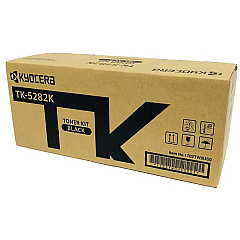
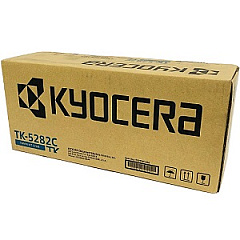
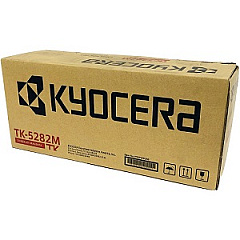
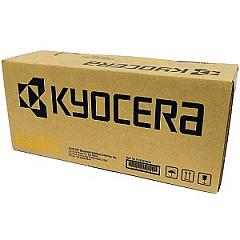
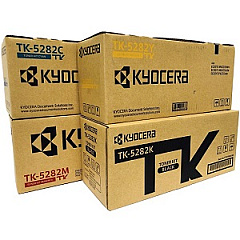
Enhance your printing efficiency with genuine Kyocera P6235cdn Toner Cartridges. These high-quality consumables are designed specifically for the Kyocera P6235cdn printer, ensuring optimal performance and exceptional print quality. The comprehensive range includes the Kyocera PF-5100 Paper Feeder for increased paper capacity, and the TK5282 Toner Cartridge Set for complete color coverage. Individual cartridges are also available: TK5282C Cyan, TK5282K Black, TK5282M Magenta, and TK5282Y Yellow. These toners deliver vibrant, long-lasting prints that resist fading and smudging. With their high yield and reliability, Kyocera P6235cdn Toner Cartridges are ideal for businesses, educational institutions, government offices, healthcare facilities, and wholesale operations that demand professional-quality prints and cost-effective solutions. Trust in Kyocera's innovative technology to keep your printing tasks running smoothly and efficiently.

Kyocera P6235cdn Toner Cartridges FAQs

  • What is the page yield for Kyocera P6235cdn toner cartridges?

    The page yield varies by color. Black typically yields around 13,000 pages, while color cartridges (cyan, magenta, yellow) yield approximately 11,000 pages each.

  • Are these toner cartridges compatible with other Kyocera printers?

    These cartridges are specifically designed for the Kyocera P6235cdn printer. They may not be compatible with other models.

  • How often should I replace the toner cartridges?

    Replacement frequency depends on your printing volume. Monitor your printer's toner level indicators and replace when prompted or when print quality diminishes.

  • Can I use third-party toner cartridges in my Kyocera P6235cdn?

    While third-party cartridges may work, using genuine Kyocera toner cartridges ensures optimal print quality and prevents potential damage to your printer.

  • What is the Kyocera PF-5100 Paper Feeder?

    The PF-5100 is an additional paper tray that increases the printer's paper capacity, allowing for longer uninterrupted print runs.

  • How do I install new toner cartridges in the Kyocera P6235cdn?

    Consult your printer's user manual for specific instructions. Generally, you'll need to open the front cover, remove the old cartridge, and insert the new one until it clicks into place.

  • Are these toner cartridges environmentally friendly?

    Kyocera toner cartridges are designed with environmental considerations in mind. They can be recycled through Kyocera's recycling program.

  • What should I do if I experience print quality issues?

    First, check if the toner is low. If not, try cleaning the printer's internal components or running a print quality diagnostic test from the printer's control panel.

  • Can I buy individual color cartridges or do I need to purchase the full set?

    You can purchase individual color cartridges (cyan, magenta, yellow) or black separately, as well as the full TK5282 Toner Cartridge Set.

  • What is the shelf life of unopened Kyocera P6235cdn toner cartridges?

    Unopened toner cartridges typically have a shelf life of 1-2 years. Store them in a cool, dry place away from direct sunlight for best results.

Warehouse Locations

Policy & Agreement | Copyright © 1995-2026 BlueDogInk.com
