





Ads

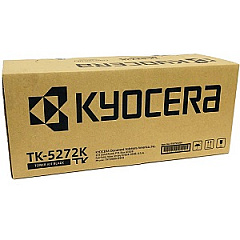
Kyocera P6230cdn Black Toner Cartridges

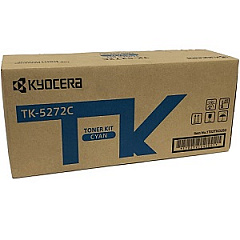
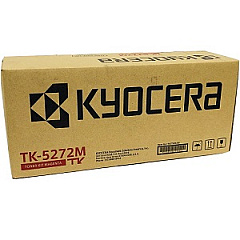
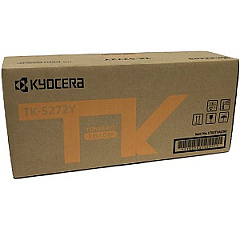
Kyocera P6230cdn Color Toner Cartridges

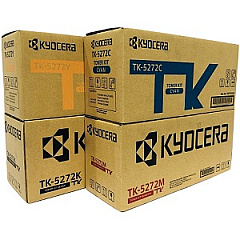
Kyocera P6230cdn Toner Set

Enhance your printing efficiency with genuine Kyocera P6230cdn Toner Cartridges. These high-quality consumables are designed specifically for the Kyocera P6230cdn printer, ensuring optimal performance and stunning print quality. The comprehensive range includes the Kyocera TK5272 Toner Cartridge Set, featuring individual cartridges for cyan, black, magenta, and yellow. Each cartridge delivers exceptional color accuracy and sharp text, making them ideal for businesses, schools, and healthcare facilities requiring professional-grade prints. For increased paper capacity, the Kyocera PF-5100 Paper Feeder is an excellent addition to your setup. By choosing authentic Kyocera supplies, you'll maximize your printer's lifespan and minimize downtime. Experience the perfect balance of affordability and quality with these reliable toner cartridges, designed to meet the demands of high-volume printing environments while maintaining consistent, vibrant output.

Kyocera P6230cdn Toner Cartridges FAQs

  • What is the page yield for Kyocera P6230cdn toner cartridges?

    The page yield varies by cartridge. The black cartridge typically yields around 6,000 pages, while color cartridges yield approximately 5,000 pages each.

  • Are these toner cartridges compatible with other Kyocera printer models?

    These cartridges are specifically designed for the Kyocera P6230cdn model. Always check your printer's compatibility before purchasing.

  • How often should I replace the toner cartridges?

    Replacement frequency depends on your printing volume. Monitor your printer's toner level indicators and replace when low to maintain print quality.

  • Can I use third-party toner cartridges with my Kyocera P6230cdn?

    While third-party options exist, using genuine Kyocera cartridges ensures optimal performance and protects your printer's warranty.

  • What is the Kyocera PF-5100 Paper Feeder?

    The PF-5100 is an additional paper tray that increases the printer's paper capacity, reducing the frequency of paper refills.

  • How do I install the toner cartridges in my Kyocera P6230cdn?

    Consult your printer's user manual for specific instructions. Generally, you'll open the front panel, remove the old cartridge, and insert the new one until it clicks into place.

  • Are these toner cartridges environmentally friendly?

    Kyocera designs its cartridges with environmental considerations in mind, often offering recycling programs for used cartridges.

  • What should I do if I experience print quality issues?

    First, ensure you're using genuine Kyocera cartridges. If issues persist, clean the printer heads and check for any error messages on the printer display.

  • Can I buy individual color cartridges or only the full set?

    You can purchase individual color cartridges (cyan, magenta, yellow) as well as the black cartridge separately or as a complete set.

  • What is the shelf life of unopened Kyocera toner cartridges?

    Unopened cartridges typically have a shelf life of 1-2 years. Store them in a cool, dry place away from direct sunlight for best results.

Warehouse Locations

Policy & Agreement | Copyright © 1995-2026 BlueDogInk.com
