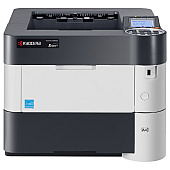










Kyocera P3055dn Black Toner Cartridges

Kyocera P3055dn Maintenance Kits

Kyocera P3055dn Printer Accessories

Kyocera P3055dn Copy Paper

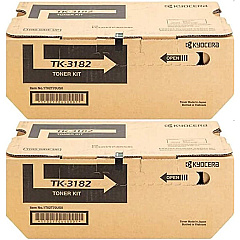
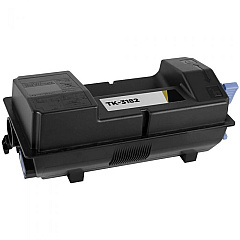
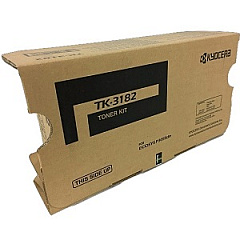
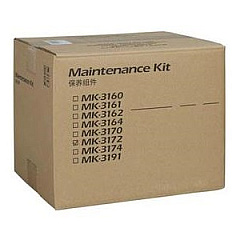
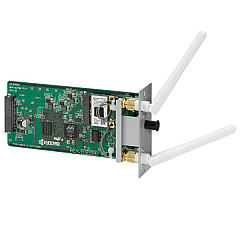
Enhance your printing efficiency with genuine Kyocera P3055dn Toner Cartridges and accessories. The Kyocera IB-51 Wireless Interface enables seamless connectivity, while the MK3172 Maintenance Kit ensures optimal performance. For high-volume printing needs, the TK-3182 Black Toner Cartridge 2-Pack offers excellent value. The TK3182 Black Toner Cartridge delivers crisp, professional-quality prints for your business, educational, healthcare, or government organization. These Kyocera P3055dn Toner Cartridges are designed to maximize productivity and minimize downtime, providing consistent, high-quality output for all your printing requirements. With their superior page yield and reliability, these cartridges help reduce overall printing costs while maintaining exceptional print quality. Trust in Kyocera's commitment to quality and sustainability to keep your P3055dn printer running smoothly and efficiently.

Kyocera P3055dn Toner Cartridges FAQs

  • What is the page yield of the Kyocera TK3182 Black Toner Cartridge?

    The Kyocera TK3182 Black Toner Cartridge has a page yield of approximately 21,000 pages at 5% coverage.

  • Is the Kyocera IB-51 Wireless Interface compatible with the P3055dn printer?

    Yes, the Kyocera IB-51 Wireless Interface is fully compatible with the P3055dn printer model.

  • How often should I replace the Kyocera MK3172 Maintenance Kit?

    The Kyocera MK3172 Maintenance Kit should be replaced after approximately 300,000 pages, depending on usage.

  • Are these Kyocera toner cartridges genuine OEM products?

    Yes, all toner cartridges listed are genuine Kyocera OEM (Original Equipment Manufacturer) products.

  • What is the benefit of purchasing the TK-3182 Black Toner Cartridge 2-Pack?

    The 2-Pack offers better value for high-volume printing needs and ensures you always have a replacement cartridge on hand.

  • Can I use third-party toner cartridges in my Kyocera P3055dn printer?

    While third-party cartridges may work, using genuine Kyocera toner cartridges ensures optimal print quality and printer performance.

  • How do I install the Kyocera IB-51 Wireless Interface?

    The IB-51 Wireless Interface can be easily installed by following the instructions provided in the user manual or by contacting Kyocera support for assistance.

  • Are these toner cartridges environmentally friendly?

    Yes, Kyocera toner cartridges are designed with environmental sustainability in mind and can be recycled through Kyocera's recycling program.

  • What should I do if I experience print quality issues with my Kyocera P3055dn?

    First, ensure you're using genuine Kyocera toner cartridges. If issues persist, check the printer settings, perform a cleaning cycle, or consult the user manual for troubleshooting steps.

  • Does BlueDogInk offer a warranty on these Kyocera products?

    BlueDogInk offers a 1-year warranty on all genuine Kyocera products purchased through their website.

Warehouse Locations

Policy & Agreement | Copyright © 1995-2026 BlueDogInk.com
