









Ads

Kyocera P2135dn Black Toner Cartridges

Kyocera P2135dn Maintenance Kits

Kyocera P2135dn Copy Paper

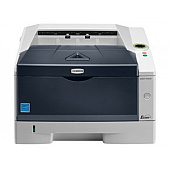
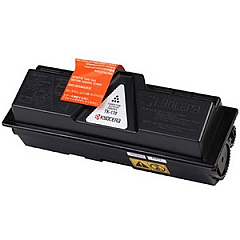
Ensure optimal performance and crisp, professional prints with genuine Kyocera P2135dn Toner Cartridges and supplies. This reliable monochrome laser printer demands high-quality components to maintain its efficiency and longevity. The Kyocera DK170 Drum Unit guarantees sharp, clear images, while the FK171U Fuser Unit ensures proper toner adhesion. For comprehensive maintenance, the MK172 Maintenance Kit includes essential replacement parts to keep your printer running smoothly. The TK172 Black Toner Cartridge delivers exceptional print quality and yield, making it ideal for high-volume printing environments. By choosing authentic Kyocera supplies, you'll maximize your P2135dn's performance, reduce downtime, and produce consistently professional documents. Whether you're in a busy office, educational institution, or healthcare facility, these genuine Kyocera components will help you meet your printing demands with confidence and reliability.

Kyocera P2135dn Toner Cartridges FAQs

  • How often should I replace the Kyocera DK170 Drum Unit?

    The DK170 Drum Unit typically needs replacement after approximately 100,000 pages, depending on usage and print conditions.

  • What is the page yield of the Kyocera TK172 Black Toner Cartridge?

    The TK172 Black Toner Cartridge has an estimated yield of 7,200 pages at 5% coverage.

  • Can I use compatible or remanufactured toner cartridges in my Kyocera P2135dn?

    While compatible cartridges may work, using genuine Kyocera supplies is recommended to ensure optimal print quality and prevent potential damage to your printer.

  • How do I know when it's time to replace the FK171U Fuser Unit?

    The printer will typically display an error message or alert when the fuser unit needs replacement, usually after about 100,000 to 150,000 pages.

  • What components are included in the Kyocera MK172 Maintenance Kit?

    The MK172 Maintenance Kit usually includes a fuser unit, transfer roller, and pick-up rollers for comprehensive printer maintenance.

  • How can I extend the life of my Kyocera P2135dn toner cartridges?

    To extend toner life, use draft mode for internal documents, print in grayscale when possible, and ensure your printer is in a clean, dust-free environment.

  • Are Kyocera P2135dn supplies recyclable?

    Yes, Kyocera offers a recycling program for used toner cartridges and other supplies. Check their website for details on how to participate.

  • Can I store spare toner cartridges for long periods?

    Yes, you can store spare toner cartridges for up to two years in a cool, dry place away from direct sunlight and extreme temperatures.

  • How do I install a new toner cartridge in my Kyocera P2135dn?

    Open the front cover, remove the old cartridge, shake the new cartridge gently, remove the protective cover, and insert it into the printer until it clicks into place.

  • What should I do if I experience print quality issues with my Kyocera P2135dn?

    First, check if you're using genuine Kyocera supplies. If so, try cleaning the printer's interior, ensuring the toner is distributed evenly, or replacing the drum unit if necessary.

Warehouse Locations

Policy & Agreement | Copyright © 1995-2026 BlueDogInk.com
