









Ads

Kyocera M6526cidn Black Toner Cartridges

Kyocera M6526cidn Color Toner Cartridges

Kyocera M6526cidn Toner Set

Kyocera M6526cidn Maintenance Kits

Kyocera M6526cidn Printer Accessories

Kyocera M6526cidn Copy Paper

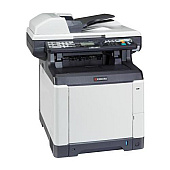
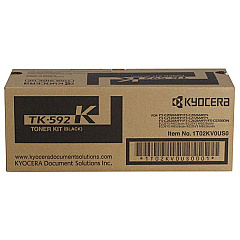
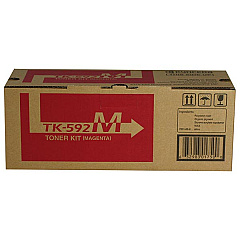
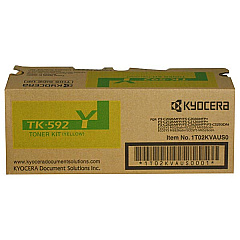
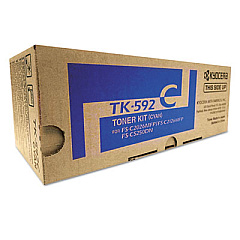
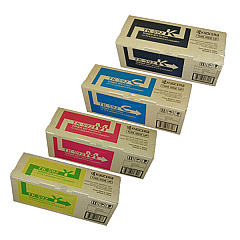
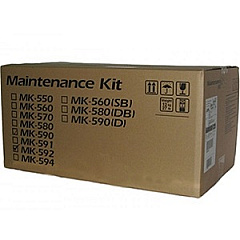
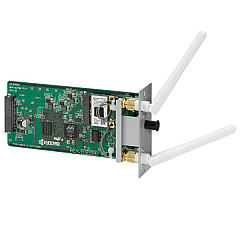
Enhance your printing experience with genuine Kyocera M6526cidn Toner Cartridges and accessories. Our comprehensive range includes the Kyocera IB-51 Wireless Interface for seamless connectivity, the Kyocera MK592 Maintenance Kit for optimal performance, and the Kyocera TK592 Toner Cartridge Set for vibrant, high-quality prints. Individual color cartridges are also available: Kyocera TK592C Cyan, TK592K Black, TK592M Magenta, and TK592Y Yellow. These authentic Kyocera supplies ensure consistent, professional results for your business, educational institution, government office, healthcare facility, or wholesale operation. By choosing genuine Kyocera M6526cidn Toner Cartridges, you'll maximize your printer's efficiency, reduce downtime, and maintain the superior print quality that Kyocera is known for. Trust in our selection to keep your Kyocera M6526cidn running smoothly and producing exceptional documents day after day.

Kyocera M6526cidn Toner Cartridges FAQs

  • What is the page yield for Kyocera TK592 toner cartridges?

    The page yield varies by color. Black typically yields 7,000 pages, while cyan, magenta, and yellow yield approximately 5,000 pages each.

  • Are these toner cartridges compatible with other Kyocera printers?

    These cartridges are specifically designed for the Kyocera M6526cidn. Always check your printer's compatibility before purchasing.

  • How often should I replace the Kyocera MK592 Maintenance Kit?

    The maintenance kit should be replaced approximately every 200,000 pages, depending on usage and print conditions.

  • Can I use third-party toner cartridges in my Kyocera M6526cidn?

    While third-party cartridges may work, using genuine Kyocera toner ensures optimal print quality and prevents potential damage to your printer.

  • What's included in the Kyocera TK592 Toner Cartridge Set?

    The set includes one each of black, cyan, magenta, and yellow toner cartridges.

  • How do I install the Kyocera IB-51 Wireless Interface?

    The IB-51 can be easily installed by a technician or following the user manual. It plugs into the printer's expansion slot.

  • Are these toner cartridges environmentally friendly?

    Yes, Kyocera toner cartridges are designed with environmental sustainability in mind and can be recycled through Kyocera's recycling program.

  • How long do unopened toner cartridges last?

    Unopened toner cartridges can last up to two years if stored properly in a cool, dry place away from direct sunlight.

  • Can I buy individual color cartridges or do I have to buy the full set?

    You can purchase individual color cartridges (TK592C, TK592M, TK592Y) or the black cartridge (TK592K) separately as needed.

  • What should I do if I experience print quality issues?

    First, ensure you're using genuine Kyocera toner. If issues persist, clean the printer heads and check for any error messages. If problems continue, consult your printer manual or contact Kyocera support.

Warehouse Locations

Policy & Agreement | Copyright © 1995-2026 BlueDogInk.com
