









Kyocera M4132idn Black Toner Cartridges

Kyocera M4132idn Printer Staples

Kyocera M4132idn Paper Trays

Kyocera M4132idn Printer Accessories

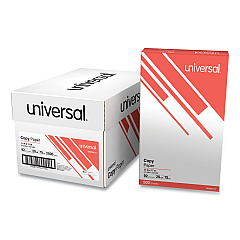
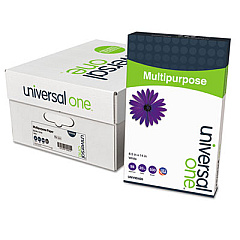
Kyocera M4132idn Copy Paper

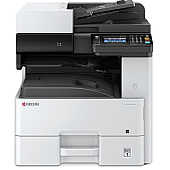
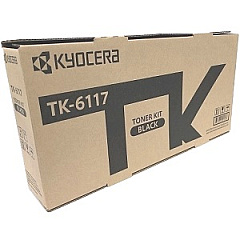
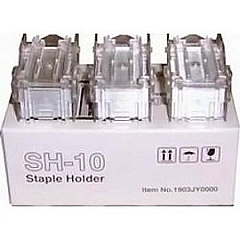
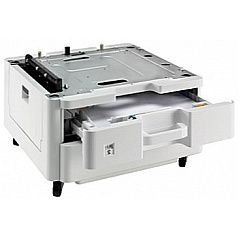
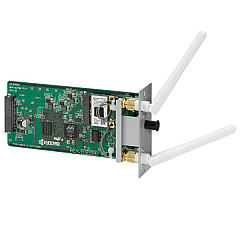
Enhance your printing experience with genuine Kyocera M4132idn Toner Cartridges and accessories. This versatile multifunction printer offers a range of options to boost productivity and efficiency in your office. The Kyocera Fax System 13 adds faxing capabilities, while the IB-51 Wireless Interface enables seamless wireless connectivity. Expand your paper capacity with the PF-470 and PF-471 Paper Trays, and keep your documents neatly organized with the SH-10 Staple Cartridge 3-Pack. At the heart of this system is the high-yield TK6117 Black Toner Cartridge, delivering crisp, professional-quality prints. Whether you're in business, education, government, healthcare, or wholesale, these Kyocera M4132idn Toner Cartridges and accessories are designed to meet your demanding printing needs while ensuring optimal performance and reliability.

Kyocera M4132idn Toner Cartridges FAQs

  • What is the page yield of the Kyocera TK6117 Black Toner Cartridge?

    The Kyocera TK6117 Black Toner Cartridge has a page yield of approximately 15,000 pages at 5% coverage.

  • Is the Kyocera IB-51 Wireless Interface compatible with all networks?

    The IB-51 Wireless Interface is compatible with most standard Wi-Fi networks, supporting 802.11b/g/n protocols.

  • How many sheets can the PF-470 and PF-471 Paper Trays hold?

    The PF-470 Paper Tray can hold 500 sheets, while the PF-471 Paper Tray can hold 1,000 sheets.

  • Are these toner cartridges and accessories genuine Kyocera products?

    Yes, all the products listed are genuine Kyocera accessories and toner cartridges.

  • How many staples does the SH-10 Staple Cartridge 3-Pack contain?

    The SH-10 Staple Cartridge 3-Pack contains three cartridges with 5,000 staples each, for a total of 15,000 staples.

  • Can I use third-party toner cartridges in the Kyocera M4132idn?

    While third-party cartridges may work, using genuine Kyocera toner cartridges ensures optimal print quality and prevents potential damage to your printer.

  • What is the function of the Kyocera Fax System 13?

    The Kyocera Fax System 13 adds faxing capabilities to your M4132idn printer, allowing you to send and receive faxes directly from the device.

  • How do I install the IB-51 Wireless Interface?

    The IB-51 Wireless Interface can be easily installed by a technician or following the provided instructions. It typically involves inserting the module into a designated slot on the printer.

  • Are these accessories covered under Kyocera's warranty?

    Yes, all genuine Kyocera accessories and toner cartridges are covered under Kyocera's standard warranty when purchased from an authorized dealer.

  • Can I use the M4132idn without installing the additional paper trays?

    Yes, the M4132idn can be used with its standard paper tray. The PF-470 and PF-471 Paper Trays are optional accessories to increase paper capacity if needed.

Warehouse Locations

Policy & Agreement | Copyright © 1995-2026 BlueDogInk.com
