








Ads

Kyocera M3660idn Black Toner Cartridges

Kyocera M3660idn Paper Trays

Kyocera M3660idn Printer Accessories

Kyocera M3660idn Copy Paper

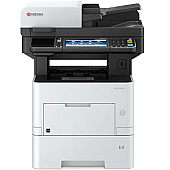
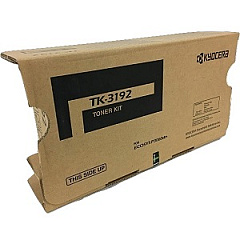
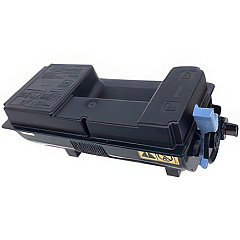
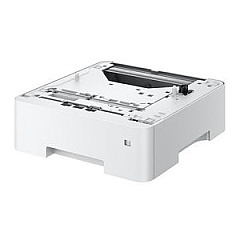
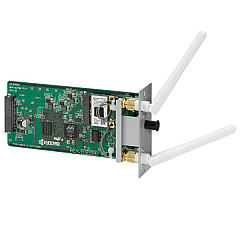
Enhance your printing efficiency with genuine Kyocera M3660idn Toner Cartridges and accessories. This high-performance multifunction printer is designed to meet the demanding needs of businesses, educational institutions, government offices, healthcare facilities, and wholesale operations. The Kyocera M3660idn supports a range of essential components, including the Kyocera 855D200655 Stand for improved ergonomics, the IB-51 Wireless Interface for seamless connectivity, and the PF-3110 Paper Tray for increased paper capacity. At the heart of this system is the Kyocera TK3192 Black Toner Cartridge, delivering crisp, professional-quality prints with exceptional yield. By choosing genuine Kyocera supplies, you ensure optimal performance, reliability, and longevity for your M3660idn printer. Maximize your productivity and minimize downtime with these top-quality Kyocera M3660idn Toner Cartridges and accessories, tailored to meet your organization's unique printing requirements.

Kyocera M3660idn Toner Cartridges FAQs

  • What is the page yield of the Kyocera TK3192 Black Toner Cartridge?

    The Kyocera TK3192 Black Toner Cartridge has a page yield of approximately 25,000 pages at 5% coverage.

  • Is the Kyocera IB-51 Wireless Interface compatible with all M3660idn models?

    Yes, the Kyocera IB-51 Wireless Interface is compatible with all Kyocera M3660idn models.

  • How many additional sheets can the PF-3110 Paper Tray hold?

    The Kyocera PF-3110 Paper Tray can hold an additional 500 sheets of paper.

  • Are these Kyocera supplies genuine OEM products?

    Yes, all the supplies listed are genuine Kyocera OEM (Original Equipment Manufacturer) products.

  • What is the purpose of the Kyocera 855D200655 Stand?

    The Kyocera 855D200655 Stand is designed to elevate the printer for improved ergonomics and easier access.

  • Can I use third-party toner cartridges in the Kyocera M3660idn?

    While third-party cartridges may work, using genuine Kyocera toner cartridges is recommended for optimal performance and to maintain warranty coverage.

  • How do I install the Kyocera IB-51 Wireless Interface?

    The IB-51 Wireless Interface can be easily installed by following the instructions in the user manual or by contacting Kyocera technical support for assistance.

  • Is the Kyocera M3660idn compatible with Mac operating systems?

    Yes, the Kyocera M3660idn is compatible with both Windows and Mac operating systems.

  • What is the printing speed of the Kyocera M3660idn?

    The Kyocera M3660idn has a printing speed of up to 60 pages per minute for black and white prints.

  • Does the Kyocera M3660idn support mobile printing?

    Yes, the Kyocera M3660idn supports mobile printing through various apps and protocols, especially when equipped with the IB-51 Wireless Interface.

Warehouse Locations

Policy & Agreement | Copyright © 1995-2026 BlueDogInk.com
