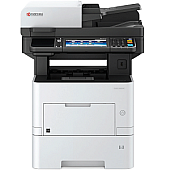
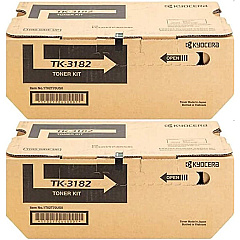
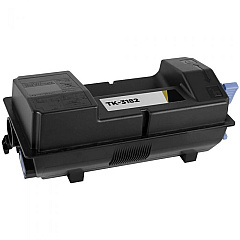
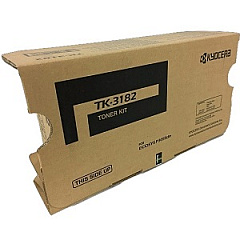










Kyocera M3655idn Black Toner Cartridges

Kyocera M3655idn Paper Trays

Kyocera M3655idn Printer Accessories

Kyocera M3655idn Copy Paper

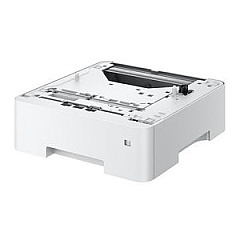
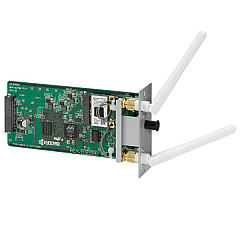
Enhance your printing experience with genuine Kyocera M3655idn Toner Cartridges and accessories. Our comprehensive range includes the Kyocera 855D200655 Stand for improved ergonomics, the IB-51 Wireless Interface for seamless connectivity, and the PF-3110 Paper Tray for increased paper capacity. For high-volume printing needs, consider the cost-effective TK-3182 Black Toner Cartridge 2-Pack. The TK3182 Black Toner Cartridge delivers crisp, professional-quality prints for your business, educational, healthcare, or government organization. These Kyocera M3655idn Toner Cartridges are designed to maximize your printer's performance, ensuring consistent output and reducing downtime. With our selection of genuine Kyocera supplies, you can trust in the reliability and quality of your prints, making your M3655idn a powerhouse for all your document needs.

Kyocera M3655idn Toner Cartridges FAQs

  • What is the page yield of the Kyocera TK3182 Black Toner Cartridge?

    The Kyocera TK3182 Black Toner Cartridge has a page yield of approximately 21,000 pages at 5% coverage.

  • Is the Kyocera IB-51 Wireless Interface compatible with the M3655idn printer?

    Yes, the Kyocera IB-51 Wireless Interface is fully compatible with the M3655idn printer, allowing for wireless connectivity.

  • How many additional sheets can the Kyocera PF-3110 Paper Tray hold?

    The Kyocera PF-3110 Paper Tray can hold an additional 500 sheets of paper.

  • Are these toner cartridges genuine Kyocera products?

    Yes, all toner cartridges and accessories listed are genuine Kyocera products, ensuring optimal performance and print quality.

  • What is the benefit of purchasing the TK-3182 Black Toner Cartridge 2-Pack?

    The 2-Pack offers cost savings for high-volume printing needs and reduces the frequency of toner replacements.

  • Can I use third-party toner cartridges in my Kyocera M3655idn printer?

    While third-party cartridges may work, using genuine Kyocera toner cartridges is recommended to ensure optimal print quality and to maintain your printer's warranty.

  • How do I install the Kyocera 855D200655 Stand?

    The Kyocera 855D200655 Stand comes with installation instructions. It's generally a simple process of attaching the stand to the bottom of the printer.

  • Is the Kyocera M3655idn compatible with Mac operating systems?

    Yes, the Kyocera M3655idn is compatible with both Windows and Mac operating systems.

  • How often should I replace the toner cartridge in my Kyocera M3655idn?

    Toner replacement frequency depends on your print volume. The printer will alert you when toner is low and needs replacement.

  • Does the Kyocera M3655idn support mobile printing?

    Yes, with the addition of the IB-51 Wireless Interface, the M3655idn supports mobile printing from compatible devices.

Warehouse Locations

Policy & Agreement | Copyright © 1995-2026 BlueDogInk.com
