










Ads

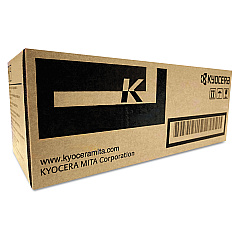
Kyocera M3550idn Black Toner Cartridges

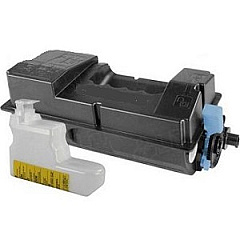
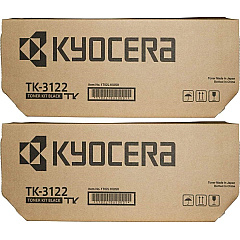
Kyocera M3550idn Toner Set

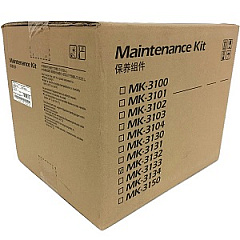
Kyocera M3550idn Maintenance Kits

Kyocera M3550idn Printer Accessories

Kyocera M3550idn Copy Paper

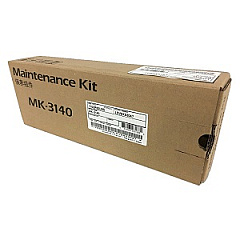
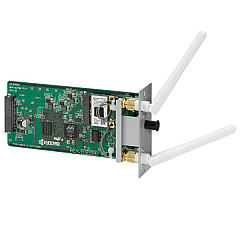
Enhance your printing experience with genuine Kyocera M3550idn Toner Cartridges and accessories. Our comprehensive range includes the Kyocera IB-51 Wireless Interface for seamless connectivity, the MK3132 and MK3140 Maintenance Kits to keep your printer in top condition, and high-quality toner options. Choose between the cost-effective TK-3122 Black Toner Cartridge 2-Pack or individual TK3122 Black Toner Cartridges for crisp, professional prints. These Kyocera M3550idn Toner Cartridges are designed to deliver exceptional print quality, reliability, and longevity, ensuring your business, educational institution, government office, healthcare facility, or wholesale operation maintains peak productivity. With our selection of authentic Kyocera supplies, you can trust that your M3550idn printer will consistently produce sharp, clear documents while minimizing downtime and maximizing efficiency.

Kyocera M3550idn Toner Cartridges FAQs

  • What is the page yield of the Kyocera TK3122 Black Toner Cartridge?

    The Kyocera TK3122 Black Toner Cartridge typically yields approximately 21,000 pages at 5% coverage.

  • Is the Kyocera IB-51 Wireless Interface compatible with the M3550idn printer?

    Yes, the Kyocera IB-51 Wireless Interface is fully compatible with the M3550idn printer, allowing for wireless connectivity.

  • How often should I replace the maintenance kit?

    The maintenance kit should be replaced approximately every 300,000 pages, but this may vary depending on usage and print environment.

  • What's the difference between the MK3132 and MK3140 Maintenance Kits?

    The MK3132 is for 120V printers, while the MK3140 is for 220V printers. Make sure to choose the correct voltage for your region.

  • Are these toner cartridges genuine Kyocera products?

    Yes, all toner cartridges and accessories listed are genuine Kyocera products, ensuring optimal performance and print quality.

  • Can I use third-party toner cartridges in my Kyocera M3550idn?

    While third-party cartridges may work, using genuine Kyocera toner cartridges is recommended to ensure the best print quality and to maintain your printer's warranty.

  • How do I install the Kyocera IB-51 Wireless Interface?

    The IB-51 can be easily installed by following the instructions in the user manual. It typically involves inserting the interface card into a designated slot on the printer.

  • What items are included in the maintenance kits?

    Maintenance kits typically include a drum unit, developer unit, and various rollers and components that wear out over time.

  • Is there a difference in print quality between the individual toner cartridge and the 2-pack?

    No, there is no difference in print quality. The 2-pack simply offers a more cost-effective option for high-volume printing needs.

  • How can I maximize the lifespan of my Kyocera M3550idn toner cartridges?

    To maximize toner lifespan, use draft mode for internal documents, print in black and white when possible, and ensure your printer is properly maintained with regular cleaning and timely replacement of maintenance kit components.

Warehouse Locations

Policy & Agreement | Copyright © 1995-2026 BlueDogInk.com
