










Ads

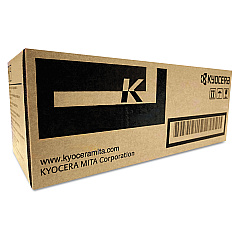
Kyocera M3540idn Black Toner Cartridges

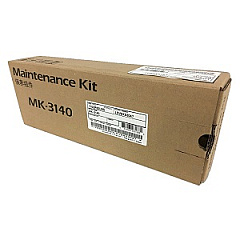
Kyocera M3540idn Maintenance Kits

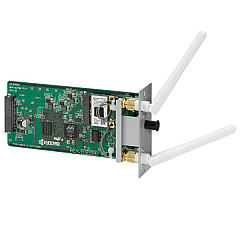
Kyocera M3540idn Printer Accessories

Kyocera M3540idn Copy Paper

Enhance your printing experience with genuine Kyocera M3540idn Toner Cartridges and accessories. This versatile multifunction printer demands high-quality supplies to maintain its exceptional performance. The Kyocera 855D200655 Stand provides stability and convenience, while the IB-51 Wireless Interface enables seamless connectivity. For optimal maintenance, the MK3102 and MK3140 Maintenance Kits ensure your device runs smoothly. The TK3102 Black Toner Cartridge delivers crisp, professional-quality prints with every page. These authentic Kyocera supplies are designed to work harmoniously with your M3540idn, guaranteeing consistent output and extending the life of your printer. Whether you're in a busy office, educational institution, healthcare facility, or government agency, these reliable Kyocera M3540idn Toner Cartridges and accessories will keep your workflow efficient and your documents looking their best.

Kyocera M3540idn Toner Cartridges FAQs

  • What is the page yield of the Kyocera TK3102 Black Toner Cartridge?

    The Kyocera TK3102 Black Toner Cartridge has a page yield of approximately 12,500 pages at 5% coverage.

  • Are these toner cartridges compatible with other Kyocera printer models?

    These toner cartridges are specifically designed for the Kyocera M3540idn model. Always check your printer's compatibility before purchasing supplies.

  • How often should I replace the maintenance kits?

    Maintenance kits should be replaced according to the printer's usage. Generally, the MK3102 kit is replaced every 300,000 pages, while the MK3140 kit is replaced every 500,000 pages.

  • What is the purpose of the Kyocera 855D200655 Stand?

    The Kyocera 855D200655 Stand provides a stable and ergonomic platform for your M3540idn printer, improving accessibility and saving desk space.

  • Is the IB-51 Wireless Interface necessary for printer operation?

    The IB-51 Wireless Interface is not necessary for basic printer operation but adds wireless connectivity capabilities to your M3540idn for more flexible printing options.

  • Can I use third-party toner cartridges with my Kyocera M3540idn?

    While third-party cartridges may work, using genuine Kyocera toner cartridges ensures optimal print quality and prevents potential damage to your printer.

  • How do I know when it's time to replace the toner cartridge?

    Your Kyocera M3540idn will display a message on its control panel when the toner is running low or needs replacement.

  • Are these supplies covered under Kyocera's warranty?

    Yes, genuine Kyocera supplies are covered under the manufacturer's warranty when purchased from authorized dealers.

  • How should I store unused toner cartridges?

    Store unused toner cartridges in a cool, dry place away from direct sunlight. Keep them in their original packaging until ready for use.

  • Can I recycle used Kyocera toner cartridges?

    Yes, Kyocera offers a recycling program for used toner cartridges. Check their website or contact your local dealer for details on how to participate.

Warehouse Locations

Policy & Agreement | Copyright © 1995-2026 BlueDogInk.com
