





Ads

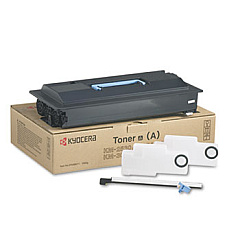
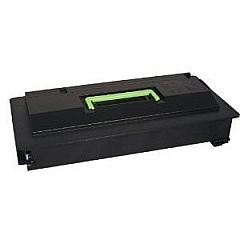
Kyocera KM-3530 Black Toner Cartridges

Enhance your printing efficiency with genuine Kyocera KM-3530 Toner Cartridges. Designed specifically for the Kyocera KM-3530 multifunction printer, these high-quality cartridges deliver exceptional print quality and reliability. The Kyocera 370AB011 Black Toner Cartridge is a key component, offering crisp, clear text and sharp images for all your business documents. With a generous yield, these cartridges minimize interruptions and reduce overall printing costs. Compatible with various Kyocera models, including the KM-3530, these toner cartridges ensure consistent performance and professional results. Whether you're printing reports, presentations, or everyday office documents, Kyocera KM-3530 Toner Cartridges provide the perfect balance of quality and value. Trust in Kyocera's reputation for reliability and choose these genuine toner cartridges to keep your KM-3530 running smoothly and efficiently.

Kyocera KM-3530 Printers Supplies FAQs

  • What is the page yield of the Kyocera 370AB011 Black Toner Cartridge?

    The Kyocera 370AB011 Black Toner Cartridge typically yields approximately 34,000 pages at 5% coverage.

  • Is this toner cartridge compatible with other Kyocera printer models?

    While designed for the KM-3530, this cartridge may be compatible with other Kyocera models. Check your printer's manual or Kyocera's website for a complete list of compatible printers.

  • How long does the Kyocera KM-3530 Toner Cartridge typically last?

    The lifespan of the cartridge depends on print volume and coverage. Under normal use, it can last several months to a year.

  • Are these genuine Kyocera toner cartridges?

    Yes, these are genuine Kyocera toner cartridges, ensuring optimal performance and print quality for your KM-3530 printer.

  • Can I use third-party or remanufactured toner cartridges in my Kyocera KM-3530?

    While third-party options exist, using genuine Kyocera toner cartridges is recommended to maintain print quality and avoid potential damage to your printer.

  • How do I install the Kyocera KM-3530 Toner Cartridge?

    Installation is straightforward. Open the printer's front panel, remove the old cartridge, and insert the new one until it clicks into place. Refer to your printer's manual for detailed instructions.

  • What should I do with my empty toner cartridge?

    Kyocera offers a recycling program for empty toner cartridges. Check their website or contact your local Kyocera dealer for recycling options.

  • How can I extend the life of my Kyocera KM-3530 Toner Cartridge?

    To extend cartridge life, use draft mode for internal documents, print in grayscale when color isn't necessary, and ensure your printer is regularly maintained.

  • Does the Kyocera KM-3530 use separate toner and drum units?

    No, the Kyocera KM-3530 uses an all-in-one toner cartridge that includes both the toner and drum unit.

  • What is the shelf life of unopened Kyocera KM-3530 Toner Cartridges?

    Unopened toner cartridges typically have a shelf life of 1-2 years when stored in a cool, dry place away from direct sunlight.

Warehouse Locations

Policy & Agreement | Copyright © 1995-2026 BlueDogInk.com
