










Ads

Kyocera FS-C8520 Black Toner Cartridges

Kyocera FS-C8520 Color Toner Cartridges

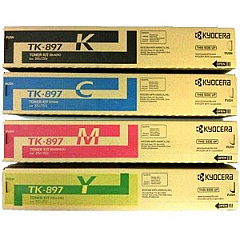
Kyocera FS-C8520 Toner Set

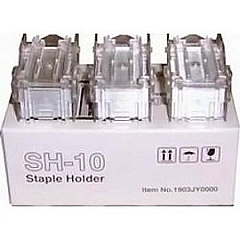
Kyocera FS-C8520 Printer Staples

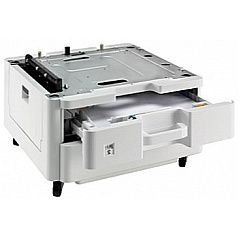
Kyocera FS-C8520 Paper Trays

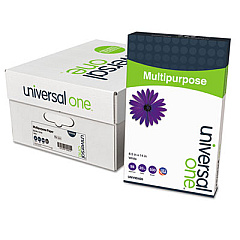
Kyocera FS-C8520 Copy Paper

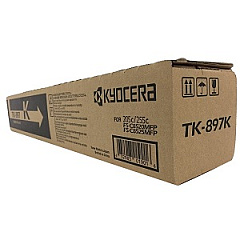
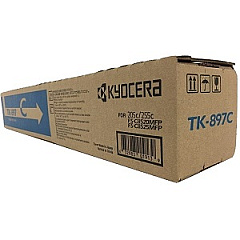
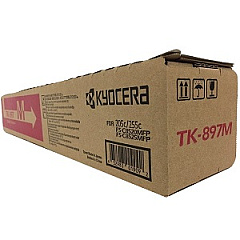
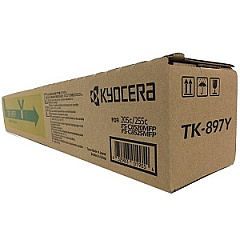
Enhance your printing experience with genuine Kyocera FS-C8520 Toner Cartridges and accessories. This versatile printer offers high-quality color output for businesses, schools, and healthcare facilities. The FS-C8520 utilizes a range of toner cartridges, including the TK897 set, which comprises individual black, cyan, magenta, and yellow cartridges for vibrant, professional results. Expand your paper handling capabilities with the PF-470 and PF-471 Paper Trays, increasing capacity and reducing refill frequency. For document finishing, the SH-10 Staple Cartridge 3-Pack ensures neat, organized presentations. These Kyocera supplies are designed to optimize performance, minimize downtime, and deliver consistent, superior print quality. Choose authentic Kyocera FS-C8520 Toner Cartridges and accessories to maximize your printer's potential and maintain its longevity.

Kyocera FS-C8520 Toner Cartridges FAQs

  • What is the page yield of the Kyocera TK897 toner cartridges?

    The TK897K Black toner yields approximately 12,000 pages, while the color cartridges (TK897C, TK897M, TK897Y) yield about 6,000 pages each.

  • Are these toner cartridges compatible with other Kyocera printers?

    The TK897 series toner cartridges are specifically designed for the Kyocera FS-C8520 and may not be compatible with other models. Always check your printer's specifications before purchasing.

  • How many sheets can the PF-470 and PF-471 Paper Trays hold?

    The PF-470 Paper Tray can hold up to 500 sheets, while the PF-471 Paper Tray has a capacity of 1,000 sheets.

  • What is the purpose of the SH-10 Staple Cartridge?

    The SH-10 Staple Cartridge is used for automatic document finishing, allowing you to staple multiple pages together for professional-looking documents.

  • How often should I replace the toner cartridges?

    Replacement frequency depends on your printing volume. Monitor your printer's toner level indicators and replace cartridges when output quality diminishes or when prompted by the printer.

  • Can I use third-party toner cartridges in my Kyocera FS-C8520?

    While third-party cartridges may work, using genuine Kyocera toner cartridges ensures optimal print quality and prevents potential damage to your printer.

  • How do I install the PF-470 or PF-471 Paper Tray?

    These paper trays are designed for easy installation. Simply align the tray with the printer's base and slide it into place. Consult your printer's manual for specific instructions.

  • Are these supplies covered under Kyocera's warranty?

    Genuine Kyocera supplies are typically covered under the printer's warranty. Using non-Kyocera supplies may void your warranty, so it's best to stick with authentic products.

  • How can I recycle used toner cartridges?

    Kyocera offers a recycling program for used toner cartridges. Check their website or contact your local Kyocera dealer for information on how to participate in this eco-friendly initiative.

  • What should I do if I experience print quality issues?

    First, ensure you're using genuine Kyocera toner cartridges. If issues persist, try cleaning the printer's internal components or running the printer's built-in maintenance routines. If problems continue, contact Kyocera support for assistance.

Warehouse Locations

Policy & Agreement | Copyright © 1995-2026 BlueDogInk.com
