










Ads

Kyocera FS-C5300DN Black Toner Cartridges

Kyocera FS-C5300DN Color Toner Cartridges

Kyocera FS-C5300DN Toner Set

Kyocera FS-C5300DN Maintenance Kits

Kyocera FS-C5300DN Copy Paper

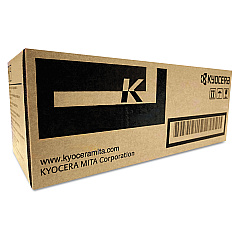
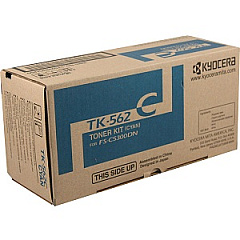
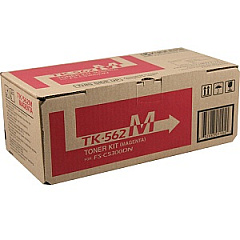
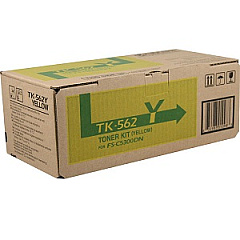
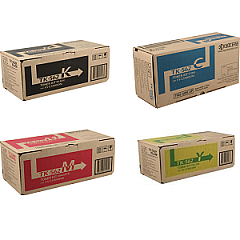
Enhance your printing experience with genuine Kyocera FS-C5300DN Toner Cartridges. These high-quality consumables are designed to deliver exceptional print quality and reliability for your Kyocera FS-C5300DN printer. The comprehensive range includes the Kyocera MK-560 Maintenance Kit for optimal device performance, and the Kyocera TK562 Toner Cartridge Set for complete color coverage. Individual cartridges are also available: Kyocera TK562C Cyan, TK562K Black, TK562M Magenta, and TK562Y Yellow. Each cartridge is engineered to produce crisp text and vibrant images, ensuring professional-looking documents every time. With these genuine Kyocera supplies, you'll maximize your printer's efficiency and minimize downtime. Whether you're printing in high volumes or require consistent color accuracy, these toner cartridges are the perfect choice for businesses, educational institutions, and organizations demanding top-notch print quality and cost-effective performance.

Kyocera FS-C5300DN Toner Cartridges FAQs

  • How long do Kyocera FS-C5300DN toner cartridges typically last?

    The lifespan of toner cartridges varies depending on usage, but on average, they can print approximately 12,000 pages for color cartridges and 20,000 pages for black cartridges.

  • Are these toner cartridges compatible with other Kyocera printer models?

    These specific cartridges are designed for the Kyocera FS-C5300DN model. Always check your printer's compatibility before purchasing toner cartridges.

  • What is the purpose of the Kyocera MK-560 Maintenance Kit?

    The Maintenance Kit includes components that need periodic replacement, such as the drum unit and fuser unit, to maintain optimal printer performance and print quality.

  • Can I use third-party toner cartridges in my Kyocera FS-C5300DN printer?

    While third-party cartridges may work, using genuine Kyocera toner cartridges ensures the best print quality and prevents potential damage to your printer.

  • How do I know when it's time to replace my toner cartridge?

    Your printer will typically display a low toner warning. You may also notice a decrease in print quality or faded prints.

  • Are these toner cartridges environmentally friendly?

    Kyocera designs its cartridges with environmental sustainability in mind, often using recyclable materials and offering recycling programs for used cartridges.

  • What's the difference between the TK562 Toner Cartridge Set and individual color cartridges?

    The TK562 Set includes all four colors (CMYK), while individual cartridges allow you to replace only the specific color that has run out.

  • How should I store unused toner cartridges?

    Store cartridges in a cool, dry place away from direct sunlight. Keep them in their original packaging until ready for use to protect them from damage and dust.

  • Can I recycle empty Kyocera toner cartridges?

    Yes, Kyocera offers recycling programs for empty cartridges. Check their website or contact your local Kyocera dealer for recycling options.

  • What should I do if I experience print quality issues with new cartridges?

    First, ensure the cartridge is properly installed. If issues persist, try printing a test page or cleaning the printer heads. If problems continue, contact Kyocera support for assistance.

Warehouse Locations

Policy & Agreement | Copyright © 1995-2026 BlueDogInk.com
