




Ads

Kyocera FS-C5250DN Black Toner Cartridges

Kyocera FS-C5250DN Color Toner Cartridges

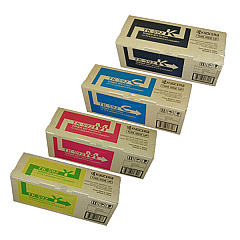
Kyocera FS-C5250DN Toner Set

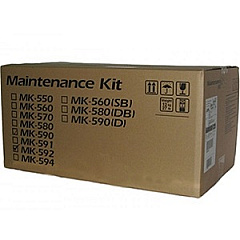
Kyocera FS-C5250DN Maintenance Kits

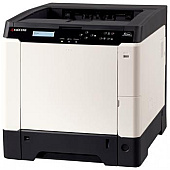
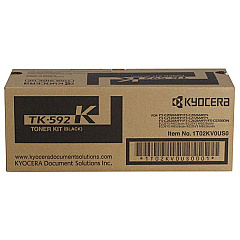
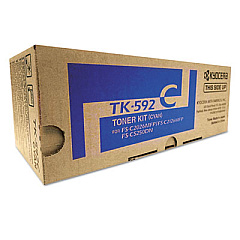
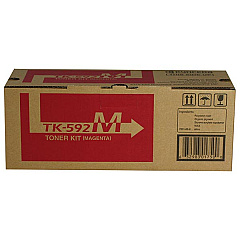
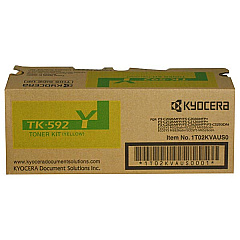
Enhance your printing experience with genuine Kyocera FS-C5250DN Toner Cartridges. These high-quality consumables ensure optimal performance and vibrant output for your Kyocera FS-C5250DN printer. The comprehensive range includes the Kyocera MK592 Maintenance Kit for routine upkeep, and the Kyocera TK592 Toner Cartridge Set for complete color coverage. For individual color needs, choose from Kyocera TK592C Cyan, TK592K Black, TK592M Magenta, and TK592Y Yellow Toner Cartridges. Each cartridge is designed to deliver sharp text and brilliant colors, meeting the demands of busy offices, educational institutions, and healthcare facilities. With these reliable Kyocera FS-C5250DN Toner Cartridges, you'll achieve consistent, professional-quality prints while maximizing your printer's efficiency and longevity. Trust in Kyocera's commitment to excellence and experience unparalleled print quality for all your business needs.

Kyocera FS-C5250DN Printers Supplies FAQs

  • How long do Kyocera FS-C5250DN toner cartridges typically last?

    The lifespan of these cartridges varies depending on usage, but they generally yield around 5,000 pages for color cartridges and 7,000 pages for black.

  • Are these toner cartridges compatible with other Kyocera printer models?

    These cartridges are specifically designed for the Kyocera FS-C5250DN model. Always check your printer's compatibility before purchasing.

  • Can I use third-party toner cartridges in my Kyocera FS-C5250DN printer?

    While third-party cartridges may work, using genuine Kyocera cartridges ensures optimal performance and maintains your printer's warranty.

  • How often should I replace the Kyocera MK592 Maintenance Kit?

    The maintenance kit typically needs replacement after about 200,000 pages, but this can vary based on usage patterns.

  • What's the difference between the toner cartridge set and individual cartridges?

    The set includes all four colors, while individual cartridges allow you to replace only the color you need, potentially saving money.

  • How can I tell when it's time to replace a toner cartridge?

    Your printer will typically display a low toner warning. You may also notice a decrease in print quality.

  • Are these toner cartridges environmentally friendly?

    Kyocera designs its cartridges with environmental considerations in mind, and they offer recycling programs for used cartridges.

  • Can I store unused toner cartridges for long periods?

    Yes, unopened cartridges can be stored for up to two years in a cool, dry place away from direct sunlight.

  • What should I do if I experience print quality issues with new cartridges?

    First, ensure the cartridge is properly installed. If issues persist, run a printer cleaning cycle or contact Kyocera support.

  • Is it necessary to replace all color cartridges at the same time?

    Not necessarily. You can replace individual color cartridges as needed, but replacing all at once can ensure color consistency in your prints.

Warehouse Locations

Policy & Agreement | Copyright © 1995-2026 BlueDogInk.com
