










Ads

Kyocera FS-C5020N Black Toner Cartridges

Kyocera FS-C5020N Color Toner Cartridges

Kyocera FS-C5020N Toner Set

Kyocera FS-C5020N Copy Paper

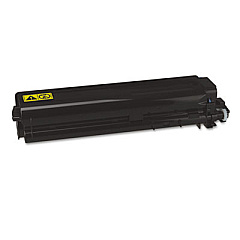
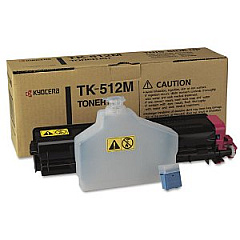
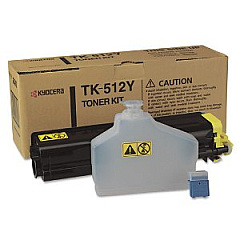
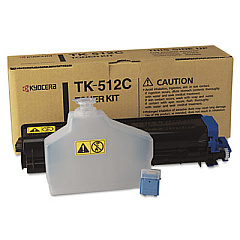
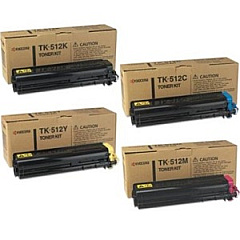
Enhance your printing experience with high-quality Kyocera FS-C5020N Toner Cartridges. These reliable toner cartridges are designed to deliver exceptional print quality and consistent performance for your Kyocera FS-C5020N printer. The comprehensive range includes the Kyocera TK512 Toner Cartridge Set, which offers a complete solution for all your color printing needs. For individual color replacements, choose from the Kyocera TK512C Cyan, TK512K Black, TK512M Magenta, and TK512Y Yellow Toner Cartridges. Each cartridge is engineered to produce crisp text and vibrant images, ensuring professional-looking documents every time. With these genuine Kyocera toner cartridges, you can expect optimal print quality, reduced waste, and extended printer life. Whether you're printing in high volumes or require occasional color output, these toner cartridges provide the perfect balance of efficiency and cost-effectiveness for your Kyocera FS-C5020N printer.

Kyocera FS-C5020N Toner Cartridges FAQs

  • How long do Kyocera FS-C5020N toner cartridges typically last?

    The lifespan of toner cartridges varies depending on usage, but on average, they can print between 6,000 to 8,000 pages for color cartridges and up to 12,000 pages for black cartridges.

  • Are these toner cartridges compatible with other Kyocera printer models?

    These specific toner cartridges are designed for the Kyocera FS-C5020N printer. It's always best to check your printer's manual or Kyocera's website for compatibility with other models.

  • Can I use third-party toner cartridges in my Kyocera FS-C5020N printer?

    While third-party cartridges may work, using genuine Kyocera toner cartridges ensures optimal print quality and prevents potential damage to your printer.

  • How do I know when it's time to replace my toner cartridge?

    Your printer will typically display a low toner warning. You may also notice a decrease in print quality or faded prints.

  • Is it necessary to replace all color cartridges at the same time?

    No, you can replace individual color cartridges as needed. However, replacing them all at once can ensure consistent color quality across your prints.

  • How should I store unused toner cartridges?

    Store them in a cool, dry place away from direct sunlight. Keep them in their original packaging until ready for use.

  • Are these toner cartridges environmentally friendly?

    Kyocera designs its cartridges with environmental considerations in mind. Many components are recyclable, and Kyocera offers a recycling program for used cartridges.

  • What's the difference between the TK512 Toner Cartridge Set and individual cartridges?

    The TK512 Set includes all four colors (CMYK), while individual cartridges allow you to replace only the color you need.

  • How do I install a new toner cartridge in my Kyocera FS-C5020N printer?

    Consult your printer's manual for specific instructions, but generally, you'll need to open the front panel, remove the old cartridge, and insert the new one until it clicks into place.

  • What should I do if I experience print quality issues after installing a new cartridge?

    Try running a printer cleaning cycle. If issues persist, ensure the cartridge is properly installed and compatible with your printer model. Contact Kyocera support if problems continue.

Warehouse Locations

Policy & Agreement | Copyright © 1995-2026 BlueDogInk.com
