










Ads

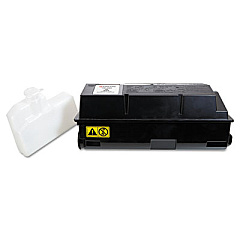
Kyocera FS-4020DN Black Toner Cartridges

Kyocera FS-4020DN Copy Paper

Ensure uninterrupted productivity with genuine Kyocera FS-4020DN Toner Cartridges. These high-quality consumables are designed specifically for the Kyocera FS-4020DN printer, delivering exceptional print quality and reliability. The Kyocera DK320 Drum Kit offers long-lasting performance, while the Kyocera TK362 Black Toner Cartridge provides crisp, clear text and graphics. These OEM supplies are engineered to work seamlessly with your printer, minimizing downtime and maximizing efficiency. Whether you're printing high-volume documents in a busy office, educational institution, or healthcare facility, these toner cartridges deliver consistent results page after page. By choosing authentic Kyocera supplies, you're investing in superior print quality, reduced waste, and optimal printer performance. Don't compromise on quality – trust Kyocera FS-4020DN Toner Cartridges for all your printing needs.

Kyocera FS-4020DN Toner Cartridges FAQs

  • What is the page yield of the Kyocera TK362 Black Toner Cartridge?

    The Kyocera TK362 Black Toner Cartridge has a page yield of approximately 20,000 pages at 5% coverage.

  • Is the Kyocera DK320 Drum Kit compatible with other Kyocera printers?

    The Kyocera DK320 Drum Kit is specifically designed for the FS-4020DN and may not be compatible with other Kyocera printer models.

  • How often should I replace the drum kit?

    The Kyocera DK320 Drum Kit typically needs replacement after approximately 300,000 pages, depending on usage and print conditions.

  • Are these toner cartridges and drum kits genuine Kyocera products?

    Yes, these are genuine OEM (Original Equipment Manufacturer) Kyocera products, ensuring optimal performance and compatibility with your FS-4020DN printer.

  • Can I use third-party or refilled toner cartridges in my Kyocera FS-4020DN?

    While third-party cartridges may work, using genuine Kyocera toner cartridges is recommended to ensure the best print quality and to maintain your printer's warranty.

  • How do I install the Kyocera TK362 Black Toner Cartridge?

    To install the toner cartridge, open the front cover of the printer, remove the old cartridge, and insert the new one until it clicks into place. Detailed instructions are provided in the printer's user manual.

  • What should I do with my used toner cartridges and drum kits?

    Kyocera offers a recycling program for used toner cartridges and drum kits. Check their website or contact your local Kyocera dealer for information on how to recycle these items responsibly.

  • Can I store unused toner cartridges for an extended period?

    Yes, you can store unused toner cartridges for up to two years in their original packaging. Keep them in a cool, dry place away from direct sunlight.

  • How can I tell if my toner cartridge is running low?

    The Kyocera FS-4020DN printer has a toner level indicator on its display panel. Additionally, you may notice a gradual decrease in print quality as the toner runs low.

  • Does using genuine Kyocera supplies affect my printer's warranty?

    Using genuine Kyocera supplies helps maintain your printer's warranty. Using third-party supplies may void the warranty if they cause damage to the printer.

Warehouse Locations

Policy & Agreement | Copyright © 1995-2026 BlueDogInk.com
