









Ads

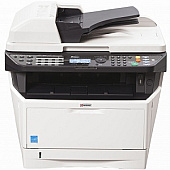
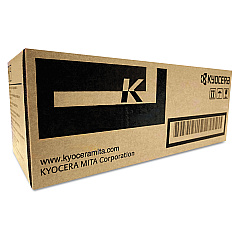
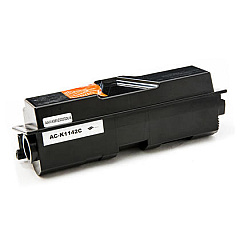
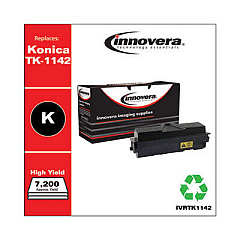
Kyocera FS-1135MFP Black Toner Cartridges

Kyocera FS-1135MFP Toner Set

Kyocera FS-1135MFP Paper Trays

Kyocera FS-1135MFP Copy Paper

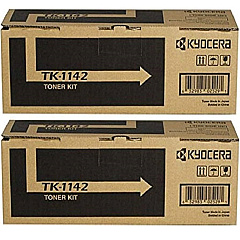
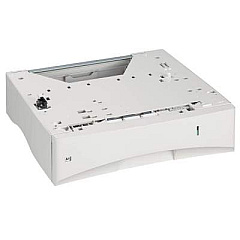
Enhance your office productivity with genuine Kyocera FS-1135MFP Toner Cartridges and supplies. This versatile multifunction printer demands high-quality components to maintain its exceptional performance. The DK170 Drum Unit ensures crisp, clear prints, while the MK1142 Maintenance Kit keeps your device running smoothly. For increased paper capacity, the PF-120 Paper Tray is an excellent addition. Choose between the cost-effective TK-1142 Black Toner Cartridge 2-Pack or the standard TK1142 Black Toner Cartridge to meet your printing needs. These authentic Kyocera supplies are designed to deliver optimal print quality, reliability, and longevity for your FS-1135MFP. By using genuine Kyocera products, you'll maximize your printer's lifespan and minimize downtime, ensuring consistent, professional results for all your business, educational, healthcare, or wholesale printing requirements.

Kyocera FS-1135MFP Toner Cartridges FAQs

  • What is the page yield of the Kyocera TK1142 Black Toner Cartridge?

    The Kyocera TK1142 Black Toner Cartridge has a page yield of approximately 7,200 pages at 5% coverage.

  • Is the Kyocera DK170 Drum Unit compatible with other Kyocera printers?

    The DK170 Drum Unit is designed specifically for certain Kyocera models, including the FS-1135MFP. Always check your printer's compatibility before purchasing.

  • How often should I replace the Kyocera MK1142 Maintenance Kit?

    The MK1142 Maintenance Kit should be replaced approximately every 100,000 pages, but this may vary depending on usage and print conditions.

  • What is the capacity of the Kyocera PF-120 Paper Tray?

    The Kyocera PF-120 Paper Tray has a capacity of 250 sheets, allowing you to increase your printer's total paper capacity.

  • Are these Kyocera supplies genuine OEM products?

    Yes, all the supplies listed for the Kyocera FS-1135MFP are genuine OEM (Original Equipment Manufacturer) products.

  • Can I use third-party toner cartridges in my Kyocera FS-1135MFP?

    While third-party cartridges may work, using genuine Kyocera toner cartridges ensures optimal print quality and prevents potential damage to your printer.

  • How do I install the Kyocera TK1142 Black Toner Cartridge?

    To install the TK1142 cartridge, open the front cover, remove the old cartridge, unpack the new one, and insert it until it clicks into place. Then close the cover.

  • What's the difference between the single TK1142 cartridge and the 2-Pack?

    The 2-Pack offers the same high-quality TK1142 cartridges but at a more economical price point, making it ideal for high-volume printing environments.

  • Is the Kyocera FS-1135MFP a color printer?

    No, the Kyocera FS-1135MFP is a monochrome (black and white) multifunction printer.

  • How can I extend the life of my Kyocera FS-1135MFP supplies?

    To extend the life of your supplies, use draft mode for internal documents, print double-sided when possible, and perform regular maintenance as recommended in the user manual.

Warehouse Locations

Policy & Agreement | Copyright © 1995-2026 BlueDogInk.com
