









Ads

Kyocera FS-1128MFP Black Toner Cartridges

Kyocera FS-1128MFP Copy Paper

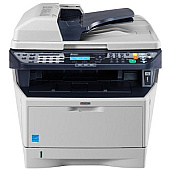
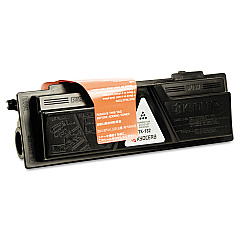
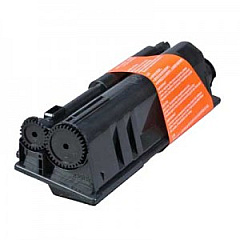
Enhance your printing efficiency with genuine Kyocera FS-1128MFP Toner Cartridges. These high-quality consumables are designed specifically for the Kyocera FS-1128MFP multifunction printer, ensuring optimal performance and crisp, professional output. The Kyocera DK150 Drum Unit and Kyocera TK132 Black Toner Cartridge work seamlessly together to deliver exceptional print quality and longevity. With these reliable supplies, businesses, educational institutions, government offices, healthcare facilities, and wholesale operations can maintain consistent, high-volume printing without compromising on quality. The Kyocera FS-1128MFP Toner Cartridges offer excellent value for money, combining affordability with superior print results. Experience reduced downtime, improved productivity, and cost-effective printing solutions with these genuine Kyocera consumables. Trust in the reliability and performance of Kyocera FS-1128MFP Toner Cartridges for all your printing needs.

Kyocera FS-1128MFP Toner Cartridges FAQs

  • What is the page yield of the Kyocera TK132 Black Toner Cartridge?

    The Kyocera TK132 Black Toner Cartridge has a page yield of approximately 7,200 pages at 5% coverage.

  • Is the Kyocera DK150 Drum Unit compatible with other Kyocera printer models?

    The Kyocera DK150 Drum Unit is specifically designed for the FS-1128MFP and may not be compatible with other Kyocera printer models. Always check your printer's specifications for compatibility.

  • How often should I replace the Kyocera DK150 Drum Unit?

    The Kyocera DK150 Drum Unit typically needs replacement after processing approximately 100,000 pages, depending on usage and print conditions.

  • Are these Kyocera FS-1128MFP Toner Cartridges genuine OEM products?

    Yes, the Kyocera TK132 Black Toner Cartridge and DK150 Drum Unit are genuine OEM (Original Equipment Manufacturer) products designed by Kyocera.

  • Can I use third-party or compatible toner cartridges in my Kyocera FS-1128MFP?

    While third-party cartridges may work, using genuine Kyocera toner cartridges is recommended to ensure optimal print quality and to maintain your printer's warranty.

  • How do I install the Kyocera TK132 Black Toner Cartridge?

    To install the TK132 cartridge, open the printer's front cover, remove the old cartridge, and insert the new one until it clicks into place. Close the cover to complete installation.

  • What should I do with my used Kyocera toner cartridges and drum units?

    Kyocera offers a recycling program for used cartridges and drum units. Check their website or contact your local Kyocera dealer for information on how to recycle these items responsibly.

  • How can I extend the life of my Kyocera FS-1128MFP Toner Cartridges?

    To extend cartridge life, use draft mode for internal documents, print in black and white when possible, and ensure your printer is regularly maintained and cleaned.

  • Are these toner cartridges and drum units covered by a warranty?

    Yes, genuine Kyocera toner cartridges and drum units are typically covered by a manufacturer's warranty. Check the product packaging or Kyocera's website for specific warranty information.

Warehouse Locations

Policy & Agreement | Copyright © 1995-2026 BlueDogInk.com
