










Ads

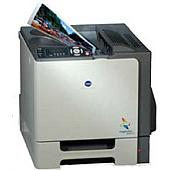
Konica Minolta Magicolor 5440DL Labels

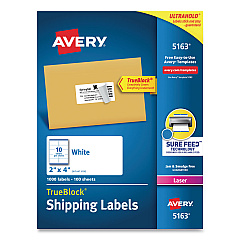
  • Avery 5163 Labels

    Item 5163

    Avery 5163 Labels

    Shipping Labels with TrueBlock Technology, Laser, 2 x 4, White, 1000/Box..

    Status

    In Stock

    $37.99

Konica Minolta Magicolor 5440DL Copy Paper

Konica Minolta Magicolor 5440DL Photo Paper

Enhance your printing experience with genuine Konica Minolta Magicolor 5440DL Toner Cartridges. These high-quality cartridges are designed specifically for the Magicolor 5440DL printer, ensuring optimal performance and stunning print results. Whether you're printing important business documents, vibrant marketing materials, or crisp labels using Avery 5163 Labels, these toner cartridges deliver exceptional color accuracy and sharp text. The Konica Minolta Magicolor 5440DL Toner Cartridges offer long-lasting performance, reducing the frequency of replacements and minimizing downtime. With their reliable output and cost-effective yield, these cartridges are perfect for busy offices, educational institutions, and healthcare facilities. Choose from a range of colors, including cyan, magenta, yellow, and black, to meet all your printing needs. Trust in the quality and consistency of Konica Minolta toner cartridges to keep your Magicolor 5440DL printer running smoothly and producing professional-grade prints every time.

Konica Minolta Magicolor 5440DL Toner Cartridges FAQs

  • How long do Konica Minolta Magicolor 5440DL Toner Cartridges typically last?

    The lifespan of these cartridges varies depending on usage, but they generally yield around 6,000 pages for color cartridges and 12,000 pages for black cartridges.

  • Are these toner cartridges compatible with other Konica Minolta printers?

    These cartridges are specifically designed for the Magicolor 5440DL printer and may not be compatible with other models.

  • Can I use third-party toner cartridges in my Konica Minolta Magicolor 5440DL printer?

    While third-party cartridges may work, using genuine Konica Minolta cartridges ensures optimal print quality and prevents potential damage to your printer.

  • How do I install a new toner cartridge in my Magicolor 5440DL printer?

    Open the printer's front cover, remove the old cartridge, and insert the new one until it clicks into place. Close the cover to complete installation.

  • Are these toner cartridges environmentally friendly?

    Konica Minolta offers a recycling program for used cartridges, promoting environmental sustainability.

  • Can I print Avery 5163 Labels using these toner cartridges?

    Yes, these cartridges are suitable for printing on Avery 5163 Labels and other label types compatible with the Magicolor 5440DL printer.

  • What should I do if I experience print quality issues with these cartridges?

    First, ensure the cartridge is properly installed. If issues persist, try cleaning the printer's internal components or contacting Konica Minolta support.

  • How should I store unused toner cartridges?

    Store cartridges in a cool, dry place away from direct sunlight. Keep them in their original packaging until ready for use.

  • Do these cartridges come with a warranty?

    Yes, genuine Konica Minolta toner cartridges typically come with a manufacturer's warranty against defects.

  • Can I buy individual color cartridges or do I need to purchase a complete set?

    You can purchase individual color cartridges (cyan, magenta, yellow, or black) as needed, without having to buy a complete set.

Warehouse Locations

Policy & Agreement | Copyright © 1995-2026 BlueDogInk.com
